
I’ll go over how to securely move cryptocurrency across exchanges in this post. Although transferring cryptocurrency between platforms is frequently done for trading, managing a portfolio, or gaining access to other features, there are hazards involved.
By taking the proper precautions, confirming wallet addresses and networks, and utilizing security features like 2FA, you can make sure your money gets to its destination safely and steer clear of expensive errors.
What is Crypto Transfer?
A cryptocurrency transfer happens when one digital wallet sends another wallet some cryptocurrency (could be on the same exchange, platform, or across different platforms).
Each transfer is recorded on the blockchain, which is a public digital ledger that lists every transaction that happens, and ensures the validity of those transactions (and in doing so, controls the possibility of double-spending).

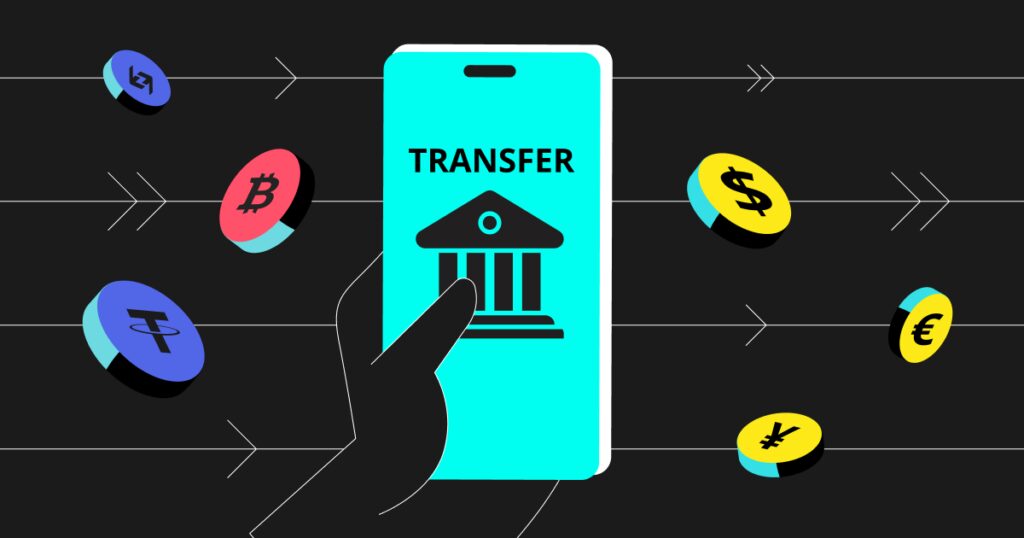
To complete any transfer on the blockchain, you need the wallet address of the receiver, which is just a long code (unique). You also need to make sure you select the right blockchain (Bitcoin = BTC; Ethereum = ERC-20; Binance Smart Chain = BEP-20) because if you send the cryptocurrency to the wrong blockchain, those coins will be unrecoverable.
Due to the fact that once a transaction is recorded in the blockchain it can not be undone or changed, you need to make sure you double check network, address, and the amount you are sending because of the possibility to lose it all. Depending on how busy the blockchain is, the amount you are sending, and a few more factors, there are fees for sending coins on the blockchain that you will be charged.
In conclusion, while the process of transferring cryptocurrency could be simple and inexpensive, and more often than not, the coins can be retrieved, once it is recorded in the digital ledger it can not be changed or undone and you will be left with the same coins on the Blockchain or all you will be left with is an empty wallet.
How to Transfer Crypto Between Exchanges Safely

Example: Transferring Bitcoin (BTC) From Coinbase To Binance
Step 1: Prepare Both Accounts
- Confirm that your Coinbase (sending) and Binance (receiving) accounts are both active.

- For additional security, we recommend enabling 2FA (Two-Factor Authentication) on both accounts.
Step 2: Get the Recipient Wallet Address
- Sign in to Binance → Click on Wallet → Click on Fiat & Spot → Click on Deposit → Select Crypto.
- Click on Bitcoin (BTC) and choose the right Network (BTC Network).
- Copy the wallet address. Double-check for errors.
Step 3: Start the Transfer on Coinbase
- Sign in to Coinbase → Navigate to Send/Receive → Select Send.
- Paste the Binance BTC wallet address in the recipient field.
- Specify the amount of BTC to be transferred.
- Note: The BTC network is the only network supported by both exchanges, so you must use it.
Step 4: Review & Confirm
- Check the information to confirm:(a) Recipient address(b) Transfer amount(c) Network
- Confirm your acceptance of network fees (Coinbase will display them).
- Finally, select Send/Confirm.
Step 5: Monitor the Transaction
- Once you send the transaction you will be given a transaction ID (TXID).
- To follow the blockchain for confirmations you can use blockchain explorer (blockchain.com)
- Depending on network congestion a typical BTC transfer takes 10–60 minutes.
Step 6: Verify Receipt
- Sign in to your Binance account and go to Wallet → Fiat & Spot.
- Check if the BTC is there.
- Once the funds are confirmed then you can decide the transfer is complete.
Step 7: Optional Safety Tips
- For new transfers you can send a small amount to test it before sending a large amount.
- In case you need support you can keep the transaction ID.
- To limit fees and to avoid delays, it is best to avoid crypto transfers during network congestion.
Prepare Before the Transfer Between Exchanges Safely
Step 1: Ensure the Receiving Exchange Differs from Your Crypto
- Confirm the exchange you are sending to actually exchanges the cryptocurrency you are sending.
- Some exchanges will only deal with select coins or a select token standard (i.e., ERC-20 or BEP-20).
Step 2: Network Accuracy is Important
- Each crypto may be divided among multiple networks.
- For example, USDT may be sent through either ERC-20 (Ethereum), BEP-20 (Binance Smart Chain), or TRC-20 (Tron).
- Sending on the wrong network may be a way to lose your funds, so check the sending network as well as the receiving networks.
Step 3: Basic Security is a Must
- It is best practice to enable Two-Factor Authentication (2FA) on all exchanges.
- It is even best practice to have strong and different passwords on each of your accounts.
- Avoid transferring crypto from devices connected to public Wi-Fi or unsecured networks.
Step 4: Multiple Friction Activities are Important
- Address the person you are sending the crypto to and verify them: If this is incorrect even one character, you may permanently lose the transfer.
- Consider pasting the address into an editor to verify multiple times.
- Be meticulous enough to transfer into the sending exchange.
Step 5: Choose the Amount to Transfer
- For your first transfer, test with a small amount to see if everything works as planned.
- Once you confirm the test transfer is successful, you should be able to transfer larger amounts without any issues.
Step 6: Consider the Transaction Fees
- Check what the sending exchange is going to charge you for fees related to the network or withdrawals.
- Keep in mind that you should have enough balance to cover the transfer amount plus the fee to complete the transfer.
Step 7: Record Keeping and Backups
- Once the transfer is complete, make a note of the recipient address, the network, and the TXID (transaction ID).
- If you have to reach out to support, you might need this for your reference.
Tips for Safer Transfers
Cross Verify Wallet Addresses: Make sure to cross verify the recipient’s address. Ensure you check the first and last few characters.
Make a Pilot Transfer: Make a pilot transfer before sending massive amounts. Ensure the wallet and network are functioning properly.
Choose the Right Network: Make sure you choose the correct network that is supported by both of the exchanges to avoid a loss of funds. (e.g. ERC-20, BEP-20, BTC network )
2FA your Accounts: Make sure to 2FA your sending and receiving accounts, as well as your sending and receiving exchange accounts.
Steer Clear of Public Wi-Fi: Make sure to do your transfers within a private and secure network.
Make sure you know the Network Fees and the State of the Network: Make sure to check the state of the network ( congestion ) before sending to avoid a delayed transfer.
Know Your Network and Store Your Details: Make sure to store your address, network and transaction (TXID) to make troubleshooting easier.
Use Trusted and Secure Exchanges: Always transfer your assets on trusted and secure exchanges.
Maintain Software and Wallets Up-To-Date: Ensure up-to-date versions are installed on all devices as well as the latest security patches for wallets and apps.
Stay Cool and Avoid the Rush: It’s important to take your time, do your checks, and resist the urge to transfer crypto. This is usually the area where mistakes occur.
Common Mistakes to Avoid
Sending to an Incorrect Wallet Address
It can be very easy to enter a wrong character or two in a wallet address and lose your funds to an address that does not exist. It is always good to check and double check the address you are sending to.
Sending on the Incorrect Chain
Using a chain on the opposite end of what the token is swapped on (for example using ERC-20 when the token is on BEP-20) will cause you to lose your funds on a chain that does not support token swaps.
Transaction Fees
While hand calculating transaction and network fees may not be the best way to go it is always advised that you do know these beforehand so that you do not end up with a negative balance.
Not Making a Test Transfer First
Doing a test transfer will allow you to understand what it is that you are sending and what the limits are.
Not Using Secure Devices and Internet
If you know you will be using a public network or an unsecure device you are risking your funds being hacked.
Not Taking your Time
Taking your time and not rushing transfer will reduce the mistakes you can make when transferring.
Not Tracking the Transfer
Mostly, the only way to know that there are issues is to track the transfer.
Not Taking Steps to Secure Your Accounts
Failing to choose good passwords and not enabling 2FA can lead to unauthorized access to your exchange accounts.
Mistakes Made With The Same-Named Tokens
Tokens get mixed up due to similarities in their names (e.g., USDT and USD₮); sending the wrong one can cause a loss.
Ignoring The Limits Of A Exchange
Not knowing the limits and minimum amounts of withdrawals can result in errors or delays in transfers.
Troubleshooting & Support

Check the Status of Your Transaction in the Blockchain
Check the transaction status in a blockchain explorer using the transaction ID (TXID) provided.
Check the Recipient Wallet Address
Make sure the funds were sent correctly.
Check the Deposit History of the Exchange
Make sure the funds at the destination exchange have already arrived or are still pending.
Reach Out to the Exchange Support
Delayed or missing transactions should be reported along with the TXID to the support team of the sending or receiving exchanges.
Give Exchange Support a Description of Your Transaction
To speed things up, describe the type of crypto, quantity, network, wallet address, and TXID to support.
Be Patient About Confirmation
During busy times, waiting for confirmation may be the only thing you can do to resolve the issue.
Do Not Share Your Private Key
Support does not need your private keys, TXID, or sensitive information to assist you.
Keep your transaction records handy
Screenshots of your transaction and confirmation helps support expedite your request.
Look for Maintenance or Network Problems
Before worrying, check if an exchange is under maintenance or if there are network delays.
Be Professional in Your Follow Up
Keep your communication with support teams polite and clear; this will increase your chance of getting a quick answer to your problem.
Pros & Cons
| Pros | Cons |
|---|---|
| Allows you to move funds to exchanges with better trading options or lower fees. | Mistakes like wrong address or network can result in permanent loss of funds. |
| Enables portfolio diversification across multiple exchanges, reducing centralized risk. | Transaction fees may apply, reducing the total amount received. |
| Supports access to different cryptocurrencies not available on one exchange. | Transfer times can vary, sometimes causing delays in trading opportunities. |
| Gives more control over your funds compared to leaving all crypto in one exchange. | High network congestion can increase transfer costs and confirmation times. |
| Improves security by moving funds to more secure or trusted platforms. | Requires careful attention to details (address, network, amount) to avoid errors. |
Conclusion
If done properly, transferring cryptocurrency between exchanges can be easy and safe. You may prevent frequent errors like sending money to the incorrect address or utilizing the incorrect network by planning ahead, verifying wallet addresses and networks, and adhering to detailed safety procedures.
Start with a test transaction, always activate 2FA, and keep an eye on your transfer via the blockchain. By adhering to these best practices, you may manage your digital assets across exchanges with confidence knowing that your cryptocurrency will arrive at its destination safely.
FAQ
What is a crypto transfer?
A crypto transfer is the process of sending cryptocurrency from one wallet or exchange account to another using the blockchain. It requires a recipient wallet address, network selection, and confirmations.
How do I transfer crypto safely between exchanges?
To transfer safely, verify the receiving exchange supports the crypto, double-check wallet addresses, select the correct network, enable 2FA, and consider sending a small test amount first.
What are the common mistakes to avoid?
Common mistakes include sending crypto to the wrong address, using the wrong network, skipping test transactions, ignoring fees, and transferring from unsecured devices or networks.
How long does a crypto transfer take?
Transfer time depends on the blockchain network and its congestion. Bitcoin and Ethereum may take 10–60 minutes, while faster networks like Binance Smart Chain can take a few minutes.
Can I recover crypto sent to the wrong address?
In most cases, crypto sent to the wrong wallet or network is irreversible. Recovery is only possible if the recipient exchange or wallet supports it, so double-check before sending.