
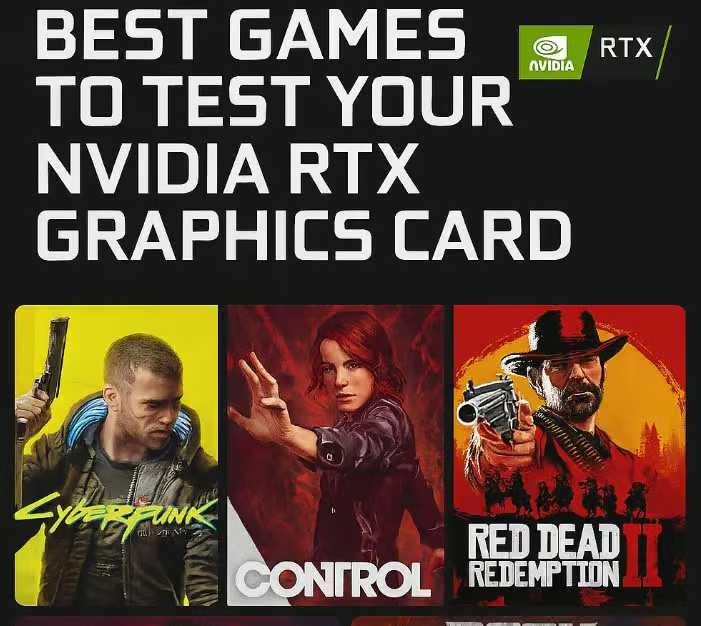
Synthetic benchmarks are insufficient if you want to accurately gauge your NVIDIA RTX graphics card’s performance. The Best Games to Test Your NVIDIA RTX Graphics Card, DLSS, high-resolution textures, and sophisticated lighting systems are all pushed to their utmost by your NVIDIA RTX Graphics Card.
These games showcase the most important aspects of real gaming settings, such as frame stability, VRAM performance, and GPU strength, from path-traced environments to expansive open worlds in 4K.
Key Point (Why It’s Great for Testing RTX GPUs)
| Game | Key Point (Why It’s Great for Testing RTX GPUs) |
|---|---|
| Cyberpunk 2077 | Industry-leading ray tracing with RT Overdrive mode and DLSS 3 Frame Generation pushes RTX GPUs to maximum ray-tracing and AI upscaling performance limits. |
| Alan Wake 2 | Fully path-traced lighting system demands extreme GPU power, making it one of the most demanding RTX showcase titles available today. |
| Control | Advanced real-time ray-traced reflections, global illumination, and shadows provide excellent benchmarking for RTX 20, 30, and 40 series cards. |
| Metro Exodus Enhanced Edition | Built exclusively for ray tracing with no fallback raster lighting, making RTX hardware mandatory for optimal performance testing. |
| Microsoft Flight Simulator | Massive open-world photogrammetry and DLSS support stress GPU memory, shader cores, and AI upscaling capabilities. |
| Forza Horizon 5 | High-resolution textures, dynamic weather, and ray-traced car reflections make it ideal for testing 4K ultra settings. |
| Red Dead Redemption 2 | Extremely detailed environments and heavy GPU scaling at ultra settings test raw rasterization power of RTX cards. |
| Marvel’s Spider-Man Remastered | Ray-traced reflections combined with DLSS 3 Frame Generation highlight RTX AI acceleration strengths. |
| Shadow of the Tomb Raider | Built-in benchmark tool with ray-traced shadows provides consistent, repeatable GPU stress testing. |
| Battlefield 2042 | Large-scale multiplayer maps and ray-traced ambient occlusion test GPU performance under intense action scenarios. |
1) Cyberpunk 2077
Cyberpunk 2077 is one of the Best Games to Test Your NVIDIA RTX Graphics Card – Cyberpunk 2077 due to the advanced ray tracing it offers, including reflections, global illumination, shadows, and the resource-hungry RT Overdrive path-tracing.

The game is compatible with DLSS 2, as well as DLSS 3 Frame Generation, which offers significant performance improvements on the RTX 40-series GPUs.

Night City with its dense city geometry, neon lights, and NPC traffic is difficult to render and it puts a strong demand on the GPU cores and VRAM at 1440p, as well as 4K Ultra settings.
Cyberpunk 2077 Key Features
- Global Illumination, Reflections, Shadows, and other FULL Ray Traced features
- Pathed Tracing mode and RT Overdrive
- Support DLSS 2 & 3 Frame Generation
- Night City is a Massive open world
- Advanced lighting and NPC systems
Pros
- One of the best titles for showcasing RTX
- Path Tracing realistic lighting is amazing
- DLSS is also fantastic
- Massive detail for open world
Cons
- Ultra + RT is very demanding
- 4K requires lots of VRAM
- DLSS is a must for smooth gameplay
2) Alan Wake 2
Alan Wake 2 has made a name for itself in the Best Games to Test Your NVIDIA RTX Graphics Card – Alan Wake 2 because of having a fully-path traced lighting system. This game replaces traditional raster lighting with some of the most realistic global illumination, reflections, and shadows. Replacing raster lighting with path tracing is also very GPU intensive.

DLSS 3 and Frame Generation will be necessary for smooth 4K gameplay with ray tracing. The combination of the game’s dark forests with volumetric fog and a highly cinematic environment create a heavy load for RTX tensor and RT cores due to the highly complex lighting calculations.
This is one of the most technically intricate games, easily helping to benchmark any next-gen RTX GPUs.
Alan Wake 2 Key Features
- Whole game is fully path traced
- Support DLSS 3 & Frame Generation
- Designed to look like a cinematic movie
- Realistic volumetric fog and shadow
- Detailed textures
Pros
- Graphically demanding
- Realistic lighting is amazing
- Showcases RTX 40 series cards
Cons
- Massive GPU power
- 1440p and higher is unplayable for lower RTX
- VRAM usage can be extreme
3) Control
Control is among the top games to test your NVIDIA RTX graphics card because its features extensive real-time ray tracing. Control has ray tracing reflections and ray tracing transparent reflections, indirect diffuse lighting, and contact shadows.

The reflections in the game are especially noticeable and they impact performance due to the glossy surfaces and brutalist architecture. Higher frame rates are possible through the support of DLSS which does not impact the quality of the image.
The GPU is further stressed due to the explosive physics and particle effects. Despite being an older game, Control continues to be one of the most used GPU reviews because of its scalable graphics and benchmark reliability across RTX 20, 30, and 40 series cards.
Control Key Features
- DLSS included
- Ray traced Indirect lighting and reflections
- Physics effects
- Built-in scalable graphics settings
Pros
- Excellent RTX benchmark title
- Strong visual improvements with RT enabled* Good optimization with DLSS
Cons
- Reduced performance with ray tracing active
- May not have indoor settings
4) Metro Exodus Enhanced Edition
Metro Exodus Enhanced Edition has been designed specifically for RTX hardware which is why it has been listed as one of the Best Games to Test Your NVIDIA RTX Graphics Card – Metro Exodus Enhanced Edition. Unlike the original, this edition has ray tracing as a requirement, which is used for global illumination and emissive lighting.
As there is no standard raster lighting fallback, this means the RT cores will be utilized to their full extent. The game also has the ability to use DLSS for performance improvement at higher resolutions
In addition to this, the game has large open environments, a dynamic day-night cycle and a detail rich environment. All of this makes it ideal for stress-testing GPU memory bandwidth, ray-tracing efficiency, and overall graphical stability.
Metro Exodus Enhanced Edition Key Features
- Global illumination ray tracing
- DLSS no raster fallback
- RTX only
- Open world
Pros
- Metro Exodus DLSS designed for RTX
- Natural lighting and atmosphere
- Consistent benchmarks and performance
Cons
- Cannot run if an RTX is not present
- Ultra 4K
- System requirements are high
- Demanding
5) Microsoft Flight Simulator
Microsoft Flight Simulator is one of the Best Games to Test Your NVIDIA RTX Graphics Card – Microsoft Flight Simulator as it has a very large real-world map that has been built using satellite data and photogrammetry. Extremely high settings at 4k will need a large amount of GPU power and VRAM.
The simulator has DLSS which will improve performance without losing clarity. The dynamic weather system, volumetric clouds, realistic lighting, and high-resolution cockpit models will heavily strain the shaders as well as the memory bandwidth. Overall Microsoft Flight Simulator is perfect for testing sustained GPU workloads and GPU stability.
Microsoft Flight Simulator Key Features
- World map based on real world satellite images
- Phonogrammetry cities
- DLSS enabled
- Dynamically changing weather with volumetric clouds
Pros
- Massive open world
- Great for stressing your GPU
- Great for VRAM peformance testing
- Realistic lighting and detail
Cons
- Can be graphically demanding (To arms!)
- Large storage needed
- Performance varies depending on location
6) Forza Horizon 5
Forza Horizon 5 is one of the Best Games to Test Your NVIDIA RTX Graphics Card – Forza Horizon 5 due to its optimized engine and beautifully designed open world.
The game features ray-traced car reflections in Forzavista, races, and other game elements, high resolution textures, and a dynamic weather system.

DLSS support allows the game to run smooth at 4K. Fast racing environments create situations that test frame consistency and the speed of the GPU in rendering.
The game is great to test the performance gap between RTX GPU’s in ultra graphics settings, especially in the mid to high tier cards.
Forza Horizon 5 Key Features
- Real time ray tracing on car
- DLSS enabled
- Dynamic weather
- High resolution textures
Pros
- Good open world graphical 4K
- Great in high refresh rate
- Great open world visuals
Cons
- Limited Ray tracing compared to RTX games
- RT functionality is very mode specific
7) Red Dead Redemption 2
Red Dead Redemption 2 is still one of the Best Games to Test Your NVIDIA RTX Graphics Card – Red Dead Redemption 2 due to it’s high graphics demand and incredibly detailed environments.
Red Dead Redemption 2 is a game that has a very specific and precise use of raytracing, however, ultra graphics settings create a demand for the Rasterization system that is very high.

Realistic lighting, dense forests, volumetric lighting, and advanced anti-aliasing create a big demand for a strong GPU in Red Dead Redemption 2.
At 4K and 1440p the game will still be challenging to run on modern GPU’s. The game even has a benchmark test that makes it easier to test performance across various hardware setups.
Red Dead Redemption 2 Key Features
- Open World
- Dynamic lighting and weather
- Built-in benchmarking
- Extensive graphics options
Pros
- Extensive environmental graphics
- Lots of detail
- Benchmark operates consistently
Cons
- No higher end ray-traced features
- Ultra settings are very demanding
- 4K uses a lot of VRAM
8) Marvel’s Spider-Man Remastered
Because of the superior ray-tracing technology used in the game, Marvel’s Spider-Man Remastered has earned a place on the list of Best Games to Test Your NVIDIA RTX Graphics Card.
Being able to see the individual rays in the game as they reflect off the streets and the skyscrapers of New York City is truly a wondrous experience.

Not to mention, the massive in-game environment and real-time shifting of the day and night cycle as well as the weather conditions put enormous strain on the player’s GPU.
With DLSS 2 and 3, as well as Frame Generation, the new RTX cards show a very noticeable increase in FPS. With the default game settings in ultra mode, it also serves as a very good real world RTX gaming performance test in 1440p and 4K.
9) Shadow of the Tomb Raider
Shadow of the Tomb Raider is a part of Best Games to Test Your NVIDIA RTX Graphics Card due to it having ray tracing and shadow technology as well as a built in reference guide.
The character models and different jungle environments are very detailed; and the different light configurations consistently stress the GPU.

The game has DLSS which allows the user to compare the performance at a frame rate which is much higher than the initial performance.
The game also has high texture settings, and different ambient occlusions which have a high load demand on the VRAM usage and rendering performance. The game is very popular to test the RTX performance on the GPU, as it has multiple scenes which can be benchmarked.
10) Battlefield 2042
Battlefield 2042 is one of the Best Games to Test Your NVIDIA RTX Graphics Card – Battlefield 2042 for the sheer size of its multiplayer maps and its use of ray-traced ambient occlusion.
The number of players on the battlefield, the destructible environments, the weather changes, and the high number of particles generate GPU load when the action is happening.
DLSS increases the performance and load of the GPUs. The Frostbite engine is optimized for high performance anti-aliasing and re-fresh.
Criteria for Selecting the Best RTX Test Games
Advanced Ray Tracing Implementation
To properly assess Ray Tracing, videos games must have ray-traced reflections, shadows, full path tracing etc. This will also measure the performance of RTX under heavy graphical workloads.
DLSS and Frame Generation Support
To assess DLSS 2, DLSS 3, or Frame Generation support for NVidia’s AI upscaling, performance boosts, improvement of image quality, and the utilization of RTX Tensor cores will be necessary.
High VRAM Utilization at 1440p and 4K
To measure memory bandwidth, texture usage, and the system’s performance stability during prolonged gaming sessions at 1440p and 4K, RTX test games should utilize high VRAM.
Built-In Benchmarking Tools
Games with built-in benchmarking will allow consistent comparisons and testing of performance, FPS, stability of 1% low frame times, and RTX performance/isolation among games.
Real-World Gameplay Stress Scenarios
RTX cards should be tested on games with open worlds, multiplayer, and dynamic weather, to simulate the real-time GPU stress as they will during gameplay.
How to Properly Benchmark Your RTX Graphics Card?
Use Native Resolution First
Testing should be done at the monitor’s native resolution first. Make sure to disable any version of DLSS to get an accurate reading.
Compare Ray Tracing On vs Off
To find out how ray tracing affects the performance of the card, first do the test with ray tracing off. Then, do the test again with ray tracing turned on.
Test With and Without DLSS
Testing DLSS in the Quality, Balanced, and Performance modes is a good way to assess Temp Core performance at various levels of graphical rendering.
Monitor GPU Usage and Temperatures
Always check the GPU’s performance to determine if the GPU is stable or is the causing thermal throttling or power limitations.
Record Average FPS and 1% Lows
In addition to measuring average FPS, it is worth measuring the 1% and 0.1% to determine the performance of the RTX under sustained workloads.
Conclusion
RTX-enabled games put a lot of strain on GPU hardware, especially at 1440p and 4K resolutions, according to recent data from real-world gaming benchmarks. While DLSS and Frame Generation frequently recover 40–100% of lost FPS depending on the RTX series, games with complete ray tracing or path tracing might lower native performance by 30–60%.
VRAM usage frequently exceeds 8GB at Ultra settings, making higher-capacity GPUs more future-proof. When properly benchmarked, the latest RTX 30 and 40 series GPUs outperform their predecessors in terms of ray-tracing efficiency, thermal stability, and AI-powered performance scaling.
FAQ
How much FPS does ray tracing reduce on RTX GPUs?
Benchmark data shows ray tracing can reduce performance by 30–60% at 1440p and 4K, depending on the game and RT intensity level. Path tracing impacts performance the most.
How much performance improvement does DLSS provide?
DLSS typically improves FPS by 30–80%, depending on resolution and mode (Quality, Balanced, Performance). DLSS 3 Frame Generation can nearly double frame rates in supported titles.
Is 8GB VRAM enough for modern RTX gaming?
At 1080p, 8GB is generally sufficient. However, at 1440p Ultra and 4K settings, many modern games exceed 8GB VRAM usage, especially with ray tracing enabled.
Which resolution is best for benchmarking RTX GPUs?
1440p and 4K are ideal for RTX benchmarking because they properly stress RT cores, Tensor cores, and VRAM bandwidth, revealing true GPU scaling performance.
Are built-in game benchmarks reliable?
Yes, built-in benchmarks provide consistent and repeatable results, making them reliable for comparing average FPS, 1% lows, and frame time stability across different RTX GPUs.