This article will be centered around Compliance Automation Software that aids companies in simplifying regulatory processes, minimizing manual work, and maintaining ongoing compliance.
These software systems manage compliance more effectively and reliably by automating audits, assessments, evidence collection, and reporting.
Selecting an ideal compliance automation software will increase an organization’s operational efficiency, improve its security posture, and help it stay in step with changing regulatory requirements.
Key Poinst & Best Compliance Automation Software
| Software | Key Point |
|---|---|
| SafetyCulture (iAuditor) | Streamlines compliance audits with mobile accessibility |
| LogicGate Risk Cloud | Flexible GRC platform with workflow automation |
| Hyperproof | Continuous monitoring for SOC 2, ISO, HIPAA |
| Drata | Automates evidence collection for audits |
| Vanta | Real-time security compliance tracking |
| Secureframe | Fast SOC 2 and ISO 27001 readiness |
| Sprinto | Designed for startups scaling compliance |
| ComplyAdvantage | AI-powered AML and risk detection |
| Cyber Sierra GRC | Unified compliance and risk management |
| ZenGRC by Reciprocity | Centralized compliance dashboard and reporting |
10 Best Compliance Automation Software
1. SafetyCulture (iAuditor)
iAuditor by SafetyCulture is an effective compliance automation solution aimed for companies focused on safety, quality, and operational efficiency.
Users can design their own checklists, carry out inspections, and produce reports that are updated in real time.
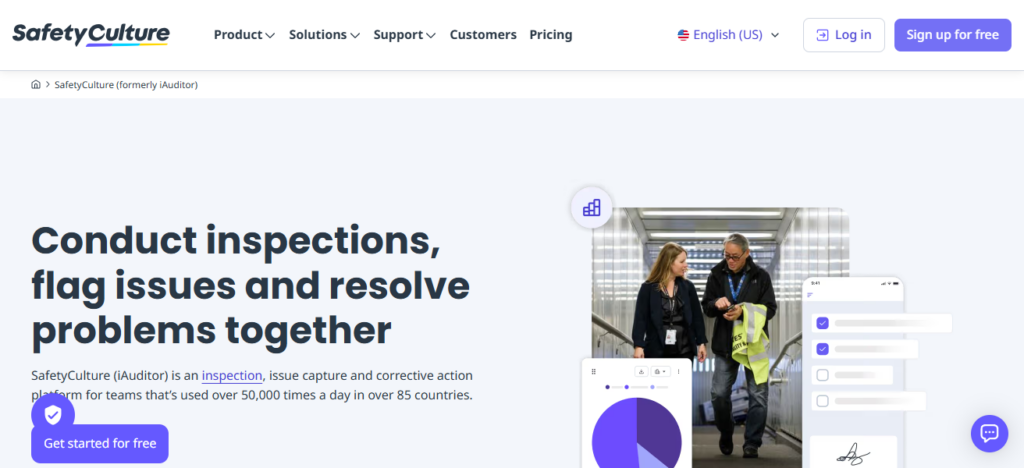
The platform focuses on user experience, empowering teams to monitor compliance problems and assign immediate actions.
iAuditor helps companies stays compliant and minimizes the risk of mistakes by allowing audits to be conducted via mobile. It also helps to analyze and optimize compliance by identifying and addressing persistent issues.
SafetyCulture (iAuditor) Features
- Audit templates that are customizable for inspections and compliance checks.
- Audits on the move with a mobile-friendly design that captures data in real-time.
- Reporting with automation and identification of trends and analytics.
- Close compliance gaps through the assignment of tasks and tracking of corrective actions.
| Pros | Cons |
|---|---|
| User-friendly with customizable checklists for audits. | May have limited advanced risk management features. |
| Mobile functionality enables audits on the go. | Reporting features may not be as deep as enterprise solutions. |
| Real-time tracking and analytics improve compliance visibility. | Integration options can be limited for complex IT environments. |
| Reduces human error and improves operational efficiency. | Pricing may be high for very small businesses. |
2. LogicGate Risk Cloud
LogicGate Risk Cloud is an enterprise-grade solution for risk and compliance management, simplifying sophisticated regulatory processes.
With this tool, businesses can consolidate risk assessments, policy management, and incident tracking into one cloud solution.
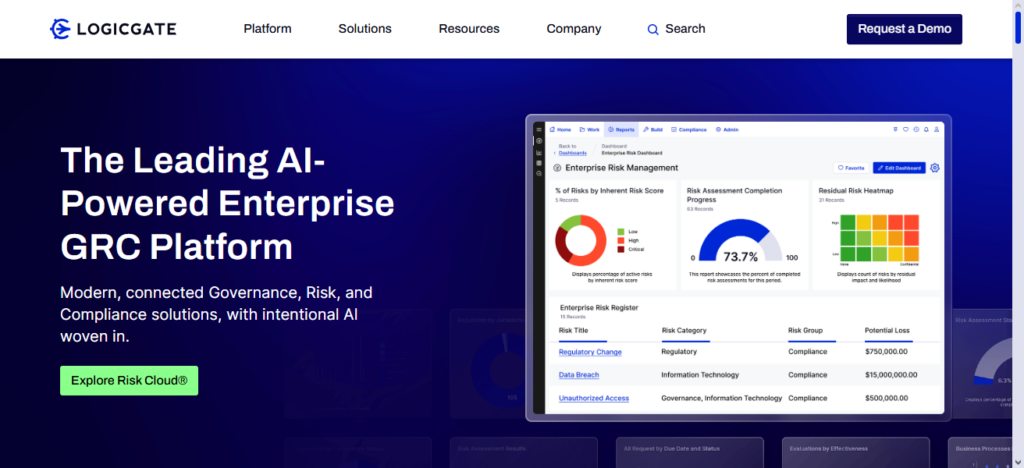
Building custom workflows is simple with the visual workflow builder, and with the no-code automation tool, every team can do automation.
With integrated data from various sources, companies can manage and avoid potential risks with up-to-date information. It also provides real-time regulatory reporting for better transparency, compliance, and governance.
LogicGate Risk Cloud Features
- A visual workflow builder that offers no-code customization for risk process automation.
- A compliance and risk repository for policies, controls, and incidents.
- Proactive decision-making with risk scoring and real-time dashboards.
- Automated reporting and alerts for audit and governance support.
| Pros | Cons |
|---|---|
| Centralizes risk assessments, policy management, and incident tracking. | Can be complex to set up for small teams. |
| Visual workflow builder allows no-code customization. | Higher learning curve for beginners. |
| Provides real-time insights for proactive risk mitigation. | May be expensive for smaller organizations. |
| Supports regulatory reporting and governance efficiency. | Limited offline functionality. |
3. Hyperproof
Hyperproof is a compliance operations platform that automates auditing and risk management processes.
It automates the collection of compliance evidence, the tracking of control activities, and the reporting of compliance across multiple frameworks, including SOC 2, GDPR, and ISO 27001.
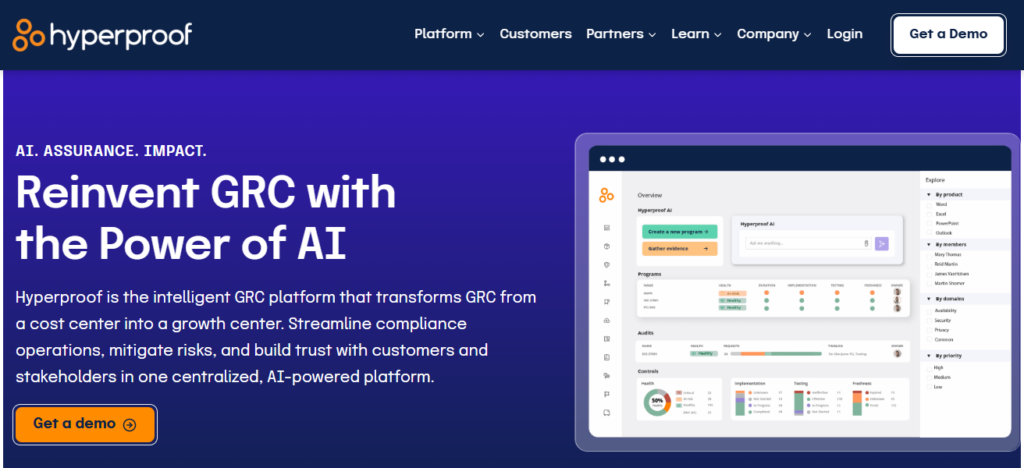
Hyperproof’s process automation minimizes the amount of manual work required, streamlining audit cycles and enabling ongoing compliance monitoring.
Teams can collaboratively assign tasks, track documentation, and progress within a single platform that is fully secured. Additionally, Hyperproof integrates with other systems to ensure compliance data is up to date and usable.
Hyperproof Features
- Evidence that is centralized for various compliance frameworks.
- Manual audit prep tasks are reduced through workflow automation.
- Compliance teams have role-based collaboration and task tracking.
- Work with existing systems to automatically control and activity data.
| Pros | Cons |
|---|---|
| Centralizes evidence collection and control tracking. | May require training to use effectively. |
| Automates audit workflows to reduce manual work. | Integrations can be limited depending on tech stack. |
| Supports multiple compliance frameworks like SOC 2, ISO, GDPR. | Pricing may be high for startups. |
| Facilitates collaboration with task assignment and progress tracking. | Some advanced reporting features are only available in premium plans. |
4. Drata
Drata provides a cloud-based compliance automation solution, focusing on continuous security monitoring and audit readiness.
It integrates with business systems, including AWS, GitHub, and Slack, to automatically gather audit evidence for frameworks like SOC 2, ISO 27001, and HIPAA.
By automating policy enforcement, employee attestations, and control testing, Drata minimizes manual effort.
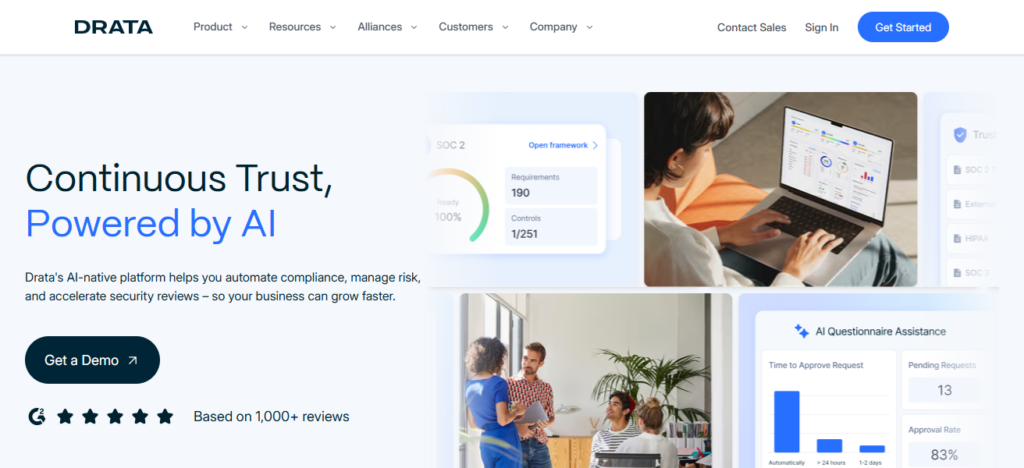
Customers receive dashboards to view their compliance status in real-time, which provides insights on compliance gaps.
It’s straightforward and designed to automate processes to help customers accelerate certifications.
Drata Features
- Automated control checks with continual security monitoring.
- Collectors for cloud services (AWS, GitHub) and HR/IT tools for evidence.
- Automation of policies and controls for frameworks, SOC 2, and ISO 27001.
- Dashboards that are real-time showing status of compliance and gaps.
| Pros | Cons |
|---|---|
| Continuous monitoring of security controls. | Limited customization for highly complex workflows. |
| Integrates with AWS, GitHub, Slack, and other systems. | Focused mainly on tech companies; not ideal for other industries. |
| Automates policy enforcement and employee attestations. | Advanced reporting can be less flexible. |
| Real-time compliance dashboards for gap identification. | Can be expensive for small businesses. |
5. Vanta
Vanta is compliance automation software designed to simplify security audits and certifications. It helps businesses get compliant with SOC 2, ISO 27001, HIPAA, and other frameworks by monitoring IT systems, collecting evidence, and alerting businesses to problems.
Vanta helps businesses with audits by streamlining employee training and system checks, and automating policy management.
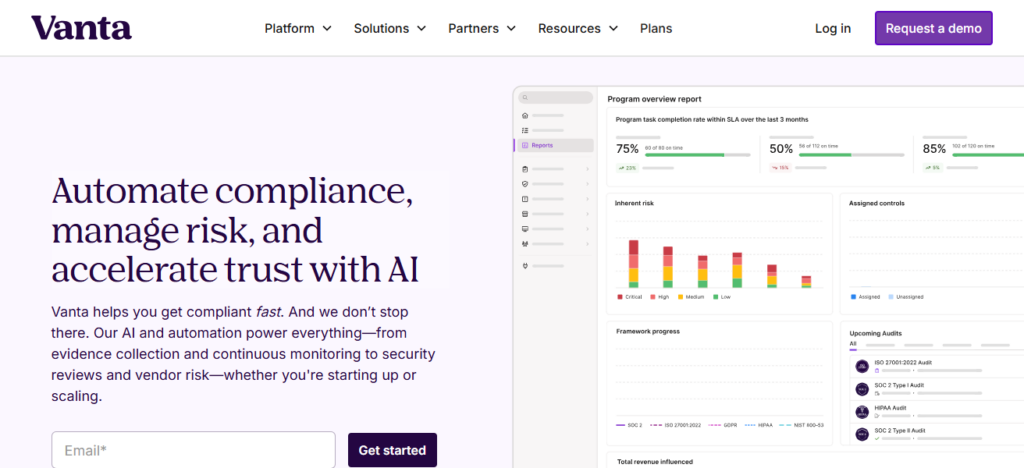
With dashboards and alerts, companies can improve their security while maintaining compliance. It is easy to use and integrates with a lot of other software tools, making it great for fast-growing companies.
Vanta Features
- Automation of evidence gathering for the compliance checks and system scans.
- Monitoring and alerts for changes to security controls.
- Integrated framework support (SOC 2, ISO, HIPAA, etc.).
- Customizable employee attestations and policy agreements.
| Pros | Cons |
|---|---|
| Continuous monitoring ensures audit readiness. | Limited non-tech integrations. |
| Automates evidence collection and policy management. | Focused on SOC 2, ISO, HIPAA—less suitable for other frameworks. |
| Real-time dashboards and alerts improve compliance visibility. | May not suit highly customized enterprise workflows. |
| Simplifies certification process for fast-growing companies. | Pricing can be high for startups with limited budgets. |
6. Secureframe
Compliance automation platform Secureframe makes it easy for businesses to gain and sustain security certifications.
For SOC 2, ISO 27001, and HIPAA, it automates policy management, vendor security assessments, and evidence gathering.
Secureframe provides evidence management, policy management, and vendor security assessments for SOC 2, ISO 27001, and HIPAA.
With seamless integrations to cloud systems, it continuously monitors and assesses for non-compliance, and automatically generates audit-ready reports.
Its dashboards and guided workflows reduce audit prep time and effort. Businesses can remain compliant with little manual intervention due to Secureframe’s automation focus.
Secureframe Features
- Automation of the entire compliance process from evidence collection to audit readiness.
- Active monitoring of connected systems for compliance issues.
- Assessments of vendor and third-party risk for extended compliance.
- Compliance visibility for teams via guided workflows and dashboards.
| Pros | Cons |
|---|---|
| All-in-one platform for SOC 2, ISO 27001, HIPAA compliance. | May be complex for smaller teams without dedicated compliance staff. |
| Automates evidence collection and vendor security assessments. | Some features may require premium subscription. |
| Provides continuous monitoring and audit-ready reports. | Limited offline or on-premises support. |
| Guided workflows reduce manual effort and errors. | Pricing can be steep for startups. |
7. Sprinto
Sprinto is an automation platform focused on compliance for small and medium-sized businesses and start-ups. It helps them get certifications such as SOC 2 and ISO 27001 with little manual work.
It automates collecting evidence, enforcing policies, and employee attestation. It provides a compliance workflow. Sprinto detects gaps through its continuous monitoring which helps businesses stay compliant.
Sprinto has proactive monitoring and is focused on compliance across cloud services and security tools. It integrates with tools to centralize data for audits. It minimizes operational risk and streamlines compliance certification.
Sprinto Features
- Compliance workflows built to fit the needs of startups and SMBs.
- Automation of control evidence collection and attestations.
- Compliance gap detection and monitoring in real-time.
- Integration with a cloud and security tool ecosystem.
| Pros | Cons |
|---|---|
| Tailored for startups and SMBs to achieve SOC 2/ISO certifications. | Limited advanced analytics for enterprise use. |
| Automates evidence collection and employee attestations. | Fewer integrations than larger enterprise solutions. |
| Continuous monitoring detects compliance gaps proactively. | Not ideal for non-cloud-heavy organizations. |
| Guided workflow accelerates certification timelines. | Reporting features may be basic for large organizations. |
8. ComplyAdvantage
ComplyAdvantage is an automation tool in regulatory compliance, particularly in the automation of Anti-Money Laundering (AML) and Know Your Customer (KYC) solutions in financial services.
Using the power of artificial Intelligence (AI) and machine learning, the platform screens transactions, monitors sanctions, and identifies and escalates suspicious transactions in real time.
By automating as much reporting and compliance risk scoring as possible, ComplyAdvantage lowers the risk of financial crime, enhances operational efficiency over the globe, and improves reporting and operational risk in sustained compliance with the ever-evolving financial services regulations.
ComplyAdvantage Features
- Real-time KYC and AML screening with the use of machine learning.
- Sanction list and transactional screening automation.
- Alert for risks and activities that are found to be suspicious.
- Compliance reporting tools are included for use by compliance.
| Pros | Cons |
|---|---|
| AI-driven AML and KYC monitoring in real time. | Primarily focused on financial services. |
| Automated risk scoring and transaction screening. | Limited features for general corporate compliance. |
| Reduces manual compliance workload. | Can be expensive for smaller financial institutions. |
| Supports faster decision-making and reporting. | Integration may require IT support. |
9. Cyber Sierra GRC
Designed specifically for streamlining the management of security and regulatory requirements, Cyber Sierra GRC is a governance, risk, and compliance platform. It features a GRC-centric hub for policies, controls, risk assessments, and audit documentation.
The platform assists in the automation of workflows and compliance tracking while minimizing the need for manual oversight. Reporting and analytics features in Cyber Sierra GRC help guide decision-making and risk mitigation.
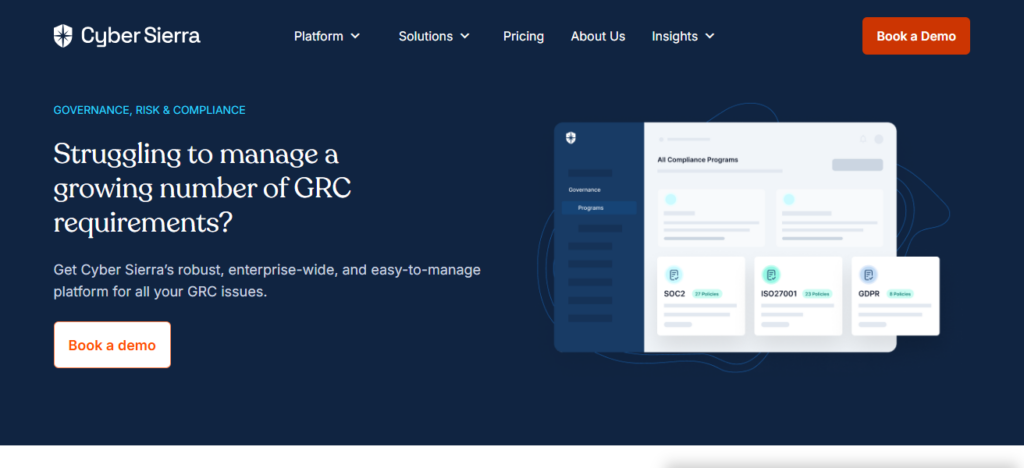
With the focus on continuous and concurrent compliance, Cyber Sierra GRC improves the governance processes of organizations.
Cyber Sierra GRC Features
- A GRC platform for risk, compliance, and governance for documentation.
- Automation of policies and the management of workflows for controls and assessments.
- Compliance posture visualization via analytics and reporting.
- Centralized audit trail and evidence repositories.
| Pros | Cons |
|---|---|
| Centralizes policies, controls, and risk assessments. | User interface may feel outdated. |
| Automates workflows and tracks compliance status. | May require significant customization for large enterprises. |
| Reporting and analytics help proactively mitigate risks. | Learning curve can be steep. |
| Reduces manual oversight and improves governance. | Some features may be complex for smaller teams. |
10. ZenGRC by Reciprocity
ZenGRC by Reciprocity is a cloud-based governance, risk, and compliance software designed for enterprise audit readiness.
It streamlines automation for evidence collection, risk assessments, and compliance workflows for multiple frameworks such as SOC 2, ISO, and HIPAA.
With ZenGRC, teams are able to consolidate compliance data, track workflows, and create reports for audits.
The software’s user-friendly dashboard aids in the simplification of complicated regulatory management, and the automation features help to save time by minimizing manual errors in the certification process.
The software’s customizable features are designed to meet the needs of growing enterprises and support the ongoing maintenance of compliance.
ZenGRC by Reciprocity Features
- Audit-ready workflows and compliance data repositories.
- Control assessments and automated collection of evidence.
- Multiple frameworks support: SOC 2, ISO, HIPAA.
- Reporting and dashboards for tracking compliance progress.
| Pros | Cons |
|---|---|
| Automates evidence collection, risk assessments, and workflows. | Can be expensive for small businesses. |
| Centralizes compliance data for audit-ready reporting. | Implementation may take longer for large organizations. |
| Supports multiple frameworks including SOC 2, ISO, HIPAA. | Customization options may be limited for niche needs. |
| Intuitive dashboards reduce manual errors and improve efficiency. | May require dedicated staff to manage complex workflows. |
How We Choose Best Compliance Automation Software
- Regulatory Coverage – Can work with compliance frameworks and regulations of varying organizational types and sizes
- Automation Capabilities – Collecting evidence, monitoring compliance, and other manual tasks has been automated
- Ease of Use – Quick to adopt due to a shallow learning curve and an easy to understand interface
- Integration Support – Works with other data systems already implemented, including Cloud, Security, HR, and IT
- Continuous Monitoring – Alerts and tracks compliance dynamically to fill gaps in compliance strategies
- Scalability – Capable of extended growth and amplifying compliance needs
- Reporting & Dashboards – Visibility into compliance data with clear and auditable reports
- Security Standards – Strong protective standards concerning data, encryption, and access control
- Customization Options – Business needs are met with custom tailored workflows, controls, and policies
- Customer Support – Documentation, customer support, and onboarding is reliable and responsive
Cocnsluion
In cocnsluion Choosing the Best Compliance Automation Software aids companies in managing regulations simplistically, decreasing the amount of work done manually, and staying in compliance continuously.
These types of software improve the accuracy and efficiency of the processes of auditing, evidence gathering, scrutiny, and reporting.
Organizations can fortify governance, improve their security stance, and meet the ever changing demands of compliance with a greater level of confidence by picking software that correlates to their business dimension, sector specific requirements, and scalability.
FAQ
What is compliance automation software?
Tools that automate monitoring, reporting, and management of regulatory compliance tasks.
Why is it important?
It reduces manual work, improves accuracy, and ensures consistent compliance.
Who should use it?
Businesses needing to manage regulatory, security, or industry compliance efficiently.
What tasks can it automate?
Audits, control testing, evidence collection, risk assessments, and reporting.