The best digital forensics software that aids investigators in gathering, preserving, and accurately analyzing digital evidence will be covered in this article.
These solutions, which allow experts to find concealed data from desktops, mobile devices, and cloud platforms while preserving evidence integrity and compliance, are crucial for cybercrime investigations, incident response, and legal cases.
What is Digital Forensics Software?
Digital forensics software is a specific suite of applications for detecting, gathering, storing, and legally analyzing and presenting digital evidence from electronic devices, which aids in a legally defensible manner. This software is one of many programs that help investigators access information from co
mputers, mobile devices, and other digital technologies (e.g. servers, networks and cloud technologies) to potentially resolve issues surrounding cyber crimes, fraud, data breaches, unauthorized activities, and other illicit behaviours while protecting the integrity of the evidence and the chain of custody.
How To Choose Digital Forensics Software
Compatibility with Data Sources: Opt for software that covers the range of devices and data types you investigate most often, whether that be computers, mobile devices, cloud services, or IoT systems.
Preservation of Evidence Integrity and Compliance with Legal Standards: Make sure the software preserves the chain of custody and data integrity, and that it automates the generation of reports that can be used in court.
Attributes and Analytical Functions: Seek out advanced capabilities, such as the ability to perform timeline analysis, memory forensics, handling of encrypted data, and correlation of artifacts.
Familiarity and Learning Curve: In the case that your team has disparate skill sets, software with less complex designs and good documentation should be chosen.
Performance and Scalability: The software should be able to process large amounts of data and should be able to accommodate multi-case or enterprise-level investigations.
Documentation and Reporting: Good documentation is vital to communicating your findings to the legal team and the court.
Software Costs and Licensing: Check software pricing and subscription costs, and look for hidden extras which might be hardware upgrades or software add-ons.
Updates and Support From the Vendor: Good customer support and timely updates help ensure the software will work with new devices and operating systems.
Key Point & Best Digital Forensics Software List
| Tool Name | Key Points |
|---|---|
| OpenText EnCase Forensic | Industry-standard digital forensics tool used by law enforcement for evidence acquisition, analysis, and reporting with strong court-admissibility support. |
| FTK (Forensic Toolkit – Exterro) | High-speed evidence processing with powerful indexing, memory analysis, and centralized forensic case management capabilities. |
| Autopsy (Sleuth Kit GUI) | Open-source digital forensics GUI offering disk analysis, file recovery, timeline analysis, and extensibility via plugins. |
| Magnet AXIOM | Advanced digital evidence analysis platform specializing in mobile, cloud, and computer forensics with intuitive visualization. |
| X-Ways Forensics | Lightweight yet powerful forensic solution known for deep file system analysis, efficiency, and minimal hardware requirements. |
| Cellebrite UFED | Leading mobile forensics tool enabling logical, file system, and physical extraction from smartphones and tablets. |
| Oxygen Forensic Detective | Comprehensive mobile and cloud forensic platform with strong analytics, social media, and encrypted data support. |
| Paraben E3 Platform | Unified digital forensics suite supporting computer, mobile, and IoT investigations with cross-case correlation. |
| Belkasoft Evidence Center | All-in-one forensic tool for RAM, disk, mobile, and cloud analysis with artifact-centric investigation features. |
| Sleuth Kit | Command-line open-source forensic toolkit for low-level disk and file system analysis used by investigators and researchers. |
1. OpenText EnCase Forensic
OpenText EnCase Forensic is one of the most renowned digital forensics tools worldwide. Organizations like the government and military use it to complete advanced forensics investigations. The software allows forensic examiners to collect, preserve, analyze, and report digital evidence, and adhere to the chain-of-custody protocols.
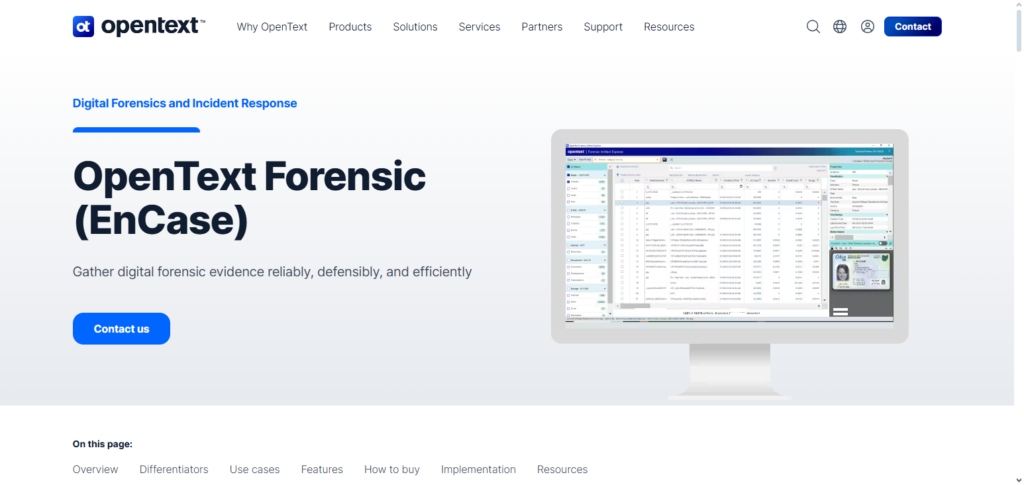
EnCase offers advanced automated email and memory analysis, as well as deep disk and file system investigations and scripting. During the analysis stage of investigations, it is considered the Best Digital Forensics Software if evidence is to be entered into court. Reporting features, scalability, and compliance make it fit for advanced forensic work.
OpenText EnCase Forensic Features, Pros & Cons
Key Features
- Obtaining evidence that is admissible in court
- File systems and disks are analyzed in advanced ways
- EnScript automates procedures
- Forensics regarding emails and RAM
- Reports detailing forensics work
Pros
- Global trust among law enforcement
- Smooth transference of evidence
- Great for big cases due to scalability
- Exceptional automation
- Acceptance in the field law is very good
Cons
- Price of a license is very high
- Needs a significant amount of time to learn
- Needs high end computer systems
- Support for mobile forensics is very limited
- For new users the system is complex
2. FTK (Forensic Toolkit – Exterro)
Exterro’s FTK is a forensic tool with a focus on forensically sound case evidence management and processing. FTK is adept at processing large quantities of data, and investigators are able to search quickly and efficiently through emails and documents.
In addition to being compatible with registry analysis, memory forensics, and distributed processing (all of which help to decrease the total duration of an investigation), it is also able to process documents digitally.
In the business world and legal narrowly, it is almost always rated as the Best Digital Forensics Software because of its being allied with eDiscovery and incident response. FTK is a good candidate for both business inquiries and law enforcement because of its easy to use the system, considerable analysis, and a combination of collaborative tools for enforcement agencies.
FTK (Forensic Toolkit – Exterro) Features, Pros & Cons
Key Features
- Data indexation happens rapidly
- Analyses memory and the registry
- Support for processing that is distributed
- Document and email analysis
- Case management is integrated
Pros
- Evidence is searched for quickly
- Works well with very large datasets
- Integrates well with large enterprises
- Interface that users find easy
- Technical support that is very reliable
Cons
- Licensing is expensive
- System requires large amounts of system resources
- Opening processes are slower
- Forensics mobile data extraction is limited
- Configuration is complex
3. Autopsy (Sleuth Kit GUI)
Offering affordability, Autopsy is a Digital Forensics Software that offers to its users a friendly graphical interface on the top of The Sleuth Kit, which is also Open Source. Autopsy allows users to analyze a number of tools, including disk images, tools for file recovery, tools to analyze activity over a specific period of time, and tools to locate and analyze specific user activity.
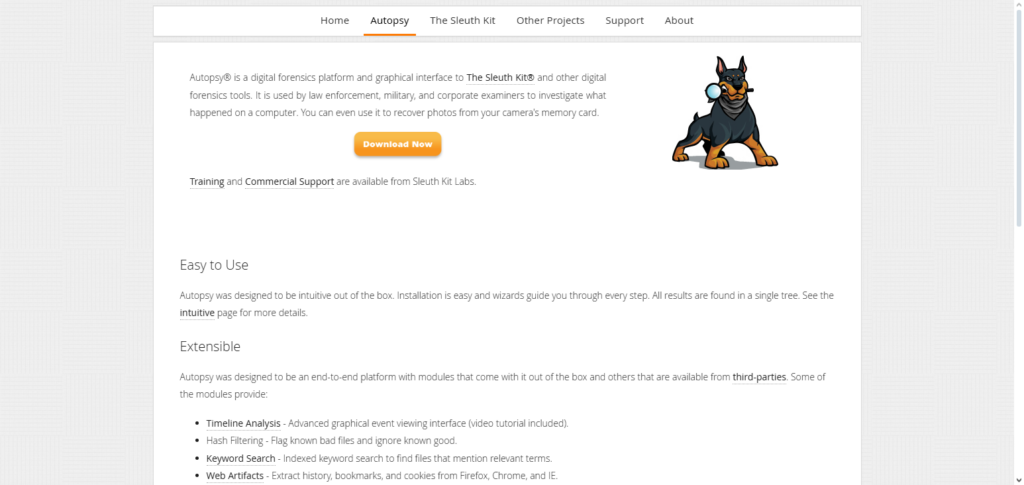
In addition to making it possible to use multiple file systems, Autopsy also makes it possible to use additional tools that provide keyword search facilities, hash filtering, and even malware search.
In the middle phase of analysis, it is often regarded as the Best Digital Forensic Software for financially limited and educational institutions. Forensic investigators at small to medium scale, and for the purpose of research and learning, it is an ideal solution thanks to its community, extensibility, and transparency.
Autopsy (Sleuth Kit GUI) Features, Pros & Cons
Key Features
- Analysis of disk images
- Files that have been deleted are recovered
- Analysis conducted on a timeline
- Architecture is plug-in based
- Searching conducted with keywords and with specific hashes
Pros
- Open-source and free to use
- Very straightforward to learn
- Abundant resources from the community
- Able to work across different platforms.
- Can be modified through various plugins.
Cons
- There are not many options for advanced automation.
- Has slower performance when handling bigger data sets.
- Has basic functions for reporting.
- Has less integrations with larger enterprises.
- Has less capability for mobile forensics.
4. Magnet AXIOM
Magnet AXIOM is one of the best digital forensics tools that focus on mobile, computer, and cloud evidence analyzing and processing. Users can extract, analyze, and visualize different online artifacts from smartphones, computers, and online cloud resources.
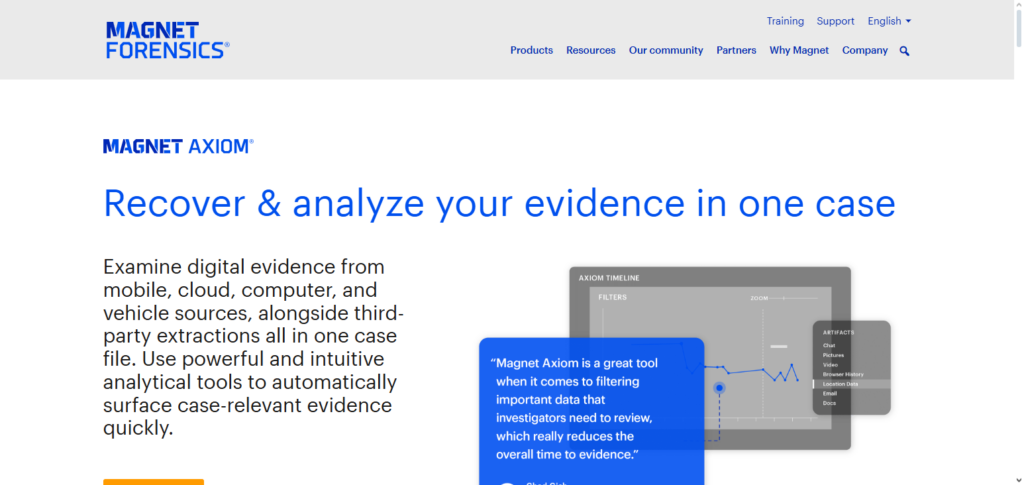
AXIOM focuses on simplifying investigations and making them easier for users to interpret through timelines and organized artifacts. In multi-evidence, multi-source investigations, this product is often recognized as the Best Digital Forensics Software for expertly and quickly merging mobile and cloud evidence.
Its popularity is growing among law enforcement and private forensics professionals due to frequent updates, strong support for modern applications, and simple interface.
Magnet AXIOM Features, Pros & Cons
Key Features
- Digital forensics for mobile devices, computers, and the cloud.
- Evidence analysis based on different categories.
- Graphical representation of different events and their relations.
- Data extraction from social media services.
- Tools for reporting that are advanced.
Pros
- Great support for mobile devices and the cloud.
- Simple and intuitive interface.
- Updates are provided regularly.
- Tools for data visualization are strong.
- Covers many different categories of data.
Cons
- Costs a lot of money.
- Needs a lot of powerful hardware.
- The time it takes to process data is long.
- Restrictions on the use of the software’s license.
- Takes time to learn the software.
5. X‑Ways Forensics
X-Ways Forensics is a digital forensics tool recognized as one of the best for being lightweight and powerful, making it a great tool for advanced investigators. It provides advanced data recovery, deep level file system analysis, and efficient disk imaging while using few system resources.
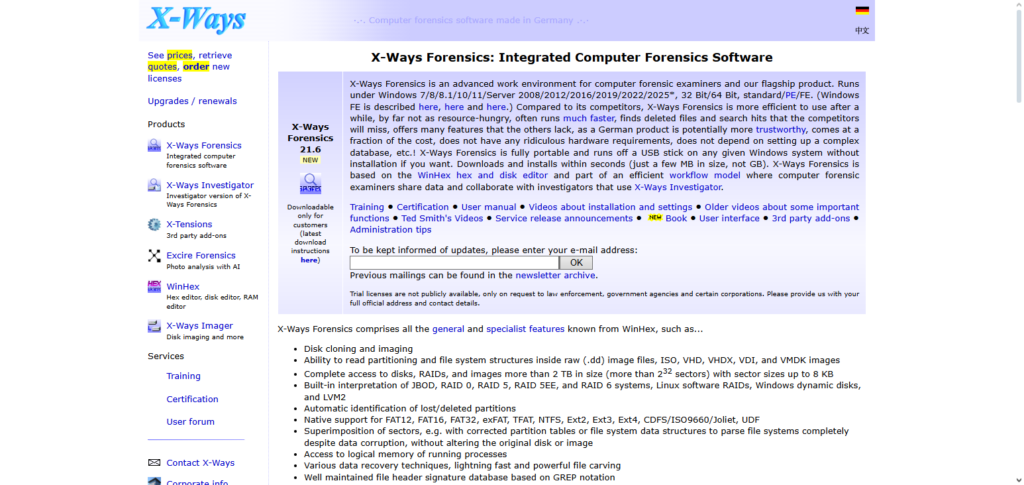
X-Ways is known for its efficiency and allowing investigators flexibility to customize their workflows. In professional forensics environments, this software is often seen as the Best Digital Forensics Software for those who enjoy automation working in the background while the user maintains control. This software is great for field investigations and advanced forensic analysis due to its scripting, low hardware demands, and advanced hex analysis.
X-Ways Forensics Features, Pros & Cons
Key Features
- Analysis of the complete file system on a deep level.
- Imaging and cloning of disks.
- Analysis of hexadecimal and metadata.
- Able to process portable executions.
- Has advanced options for recovering data.
Pros
- Program is lightweight and fast.
- Requires a small amount of hardware.
- Analysis is done with a high level of precision.
- The workflow can be customized for flexibility.
- Affordable software licensing.
Cons
- Not a good interface.
- Not a lot of automation is provided.
- Not the best for users who are just starting out.
- Minimal support for mobile devices.
- Has a lack of features for visualization.
6. Cellebrite UFED
The Cellebrite UFED software is the most advanced mobile forensics software that has the ability to extract and analyze data from cell phones, tablets, and GPS devices. Cellebrite UFED is the most diversified forensics software since it is capable of supporting logical, file system, and physical extraction of data from thousands of mobile devices.
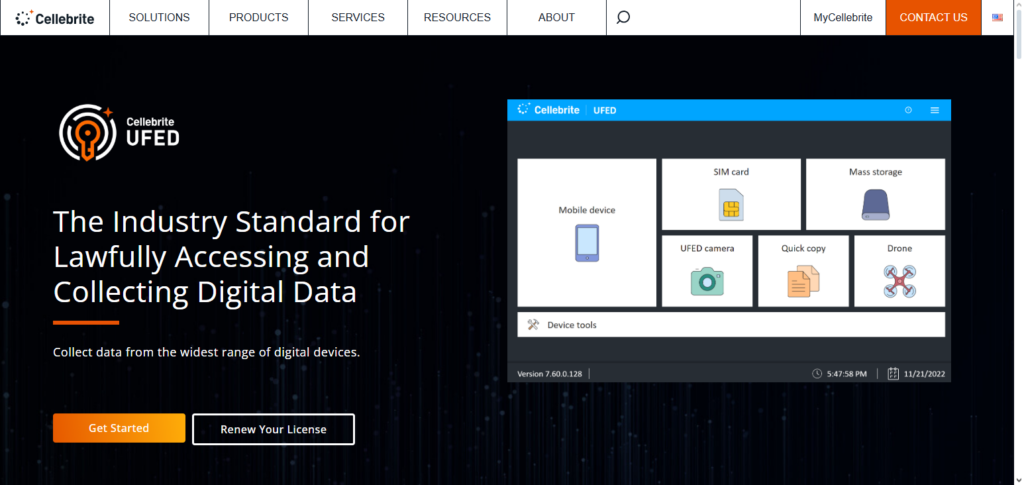
Some of the data that the software enables the investigator to collect and analyze include the call log, text messages, app data, and data that has been deleted.
Due to the importance of the mobile devices, it is the Best Digital Forensic Software. Because of its unyielding commitment to mobile forensics and updated software, professional mobile forensics software is used for digital and internet tools and intelligence for law enforcement.
Cellebrite UFED Features, Pros & Cons
Key Features
- Can extract data from mobile devices.
- Can obtain either logical, file, or physical data.
- Analysis of data from applications and conversations.
- Passwords and locks are bypassed.
- Forensics analysis and reporting
Pros
- Leaders and pioneers in mobile forensics
- Vast device compatibility
- Effective and reliable extraction methods
- Regular and frequent software updates
- Results can be accepted in court.
Cons
- The software is very expensive.
- The software concentrates on mobile devices.
- Users are required to have specialized training to use it.
- The software is subscription based.
- There is minimal support for computer forensics.
7. Oxygen Forensic Detective
Oxygen Forensic Detective is a superior digital forensics software that focuses on the analysis of mobile, cloud, and IoT data. Forensic Detective is able to extract data from cell phones, backups, cloud accounts, and messaging apps.
There are also advanced analytic tools and visualization tools that are available. Forensic Detective software also predominantly focuses on social analysis, timeline analysis, and decryption of data.
Forensic Detective, is solely the Best Digital Forensics Software if the aim is to conduct a mobile investigation and to unveil the hidden communication of users along with their relationships. The software is the most relied on in cyber and fraud investigations along with intelligence for analysis, in fact, the software also provides a broad range of data that is also used for fraud analysis.
Oxygen Forensic Detective Features, Pros & Cons
Key Features
- Retrieves and extracts data from mobile devices and from cloud.
- Analyses data from social networking sites.
- Offers timeline and visualization options.
- Supports decrypted data.
- Provides analytics using customized dashboards.
Pros
- The software provides great mobile analytics.
- The software provides exceptional analyses on cloud forensics.
- The software is very user-friendly.
- The software provides powerful visualizations.
- The software is frequently updated.
Cons
- The software is very pricey.
- There is minimal support for disk forensics.
- The software requires high system performance.
- Has a confusing licensing system.
- The software has a high learning curve for its advanced features.
8. Paraben E3 Platform
The Paraben E3 Platform is an inclusive interface for digital forensics that supports mobile, computer, cloud, and IoT investigations in one place and at the same time. At the same time, it provides the ability to perform cross-artifact correlation, which assists in finding relationships across different sources of data.
E3 provides automated workflows, in-depth reporting, and multi-user case collaboration. In multi-device forensic cases, it is often regarded in the industry as the Best Digital Forensics Software for integrated investigations. The ability to perform vehicle and IoT forensics makes Paraben E3 incredibly valuable for contemporary digital crime and enterprise security teams.
Paraben E3 Platform Features, Pros & Cons
Key Features
- Performs forensic analysis from multiple sources.
- Provides automation in cross-case correlation.
- Provides forensics analysis of IoT and vehicles.
- Provides automations for certain workflows.
- Offers unified reporting of findings.
Pros
- The software supports various new and emerging technologies.
- The software provides an integrated environment for investigation.
- The software is scalable.
- The software provides good collaboration between users.
- The software offers various flexible options for analysis.
Cons
- The licensing is very pricey.
- Has a very complicated user interface.
- Users are required to undergo training in order to use it.
- Processing speeds are very slow.
- The software has very limited community support.
9. Belkasoft Evidence Center
Belkasoft Evidence Center is an integrated digital forensics suite designed for disk, memory, mobile, and cloud analysis. It offers live RAM capture, artifact-centric investigations, and quick evidence triage. This software is particularly praised for uncovering hidden chat data, browser histories, encryption artifacts, and volatile memory evidence.
In more advanced forensic scenarios, it is often regarded as the Best Digital Forensics Software for merging memory and disk analysis in a single tool. The balance of speed and access to a wide range of data makes it an ideal choice for cybercrime and incidence response teams.
Belkasoft Evidence Center Features, Pros & Cons
Key Features
- RAM and disk forensics
- Artifact-centric investigations
- Mobile and cloud analysis
- Live system acquisition
- Fast indexing engine
Pros
- Excellent memory analysis
- All-in-one forensic solution
- High processing speed
- Broad artifact support
- Effective incident response
Cons
- High cost
- Hardware-intensive
- Limited mobile extraction
- Complex licensing
- Advanced features require expertise
10. Sleuth Kit
Sleuth Kit is an open-source command line suite of digital forensics tools for basic forensics. It allows for low level disk and file system forensics. It allows one to view partials of disks, recover deleted files, and view files and system metadata in an analysis. Sleuth Kit is a component in many other forensic tools, most notably in Autopsy.
Sleuth Kit is considered the Best Digital Forensics Software if software transparency and analysis control are required. It is trusted because of software reliability, accurate results, and flexibility to the work flow. Many trusted forensic researchers, educators, and professionals rely on Sleuth Kit to assist them in their digital forensic engagements.
Sleuth Kit Features, Pros & Cons
Key Features
- Low-level disk analysis
- File system examination
- Deleted file recovery
- Command-line forensic tools
- Metadata analysis
Pros
- Free and open-source
- Highly accurate results
- Strong forensic transparency
- Ideal for research and education
- Widely trusted framework
Cons
- Command-line only
- Steep learning curve
- No built-in reporting
- Limited automation
- Not suitable for beginners
Conclusion
The breadth of the investigation, data sources, and technological know-how all play a role in selecting the best digital forensics software. Magnet AXIOM and Cellebrite UFED are the best tools for mobile and cloud investigations, while EnCase and FTK are excellent for enterprise and legal compliance.
While platforms like Oxygen, Belkasoft, and Paraben offer sophisticated analytics and cross-device correlation, open-source solutions like Autopsy and Sleuth Kit offer flexibility and affordability.
In the end, the optimal approach is one that guarantees the integrity of the evidence, supports contemporary technologies, and produces precise, legally admissible outcomes for effective and trustworthy digital investigations.
FAQ
What is the Best Digital Forensics Software?
The Best Digital Forensics Software depends on investigation needs. EnCase and FTK are ideal for enterprise and legal cases, while Magnet AXIOM and Cellebrite UFED excel in mobile and cloud forensics.
Which digital forensics software is best for law enforcement?
Law enforcement agencies commonly use EnCase, Cellebrite UFED, Magnet AXIOM, and Oxygen Forensic Detective due to their reliability, device support, and court-admissible reporting.
What is the best digital forensics software for mobile investigations?
Cellebrite UFED and Oxygen Forensic Detective are considered the Best Digital Forensics Software for mobile data extraction, app analysis, and encrypted data access.
Is there any free or open-source digital forensics software?
Yes, Autopsy and Sleuth Kit are popular open-source tools that provide strong disk and file system analysis capabilities, making them suitable for students and small teams.
Which tool is best for cloud and social media forensics?
Magnet AXIOM and Oxygen Forensic Detective are highly effective for cloud, social media, and messaging app investigations with advanced analytics and visualization.