The best enterprise integration software for connecting apps, automating processes, and managing data between on-premises and cloud systems will be covered in this post.
For businesses of all sizes, these solutions facilitate smooth API connection, increase operational effectiveness, lower complexity, and assist digital transformation.
How To Choose Enterprise Integration Software
Business Integration Needs: Determine what integrations you need, what applications, data endpoints, workflows, and transaction volume you need to support.
Deployment Options/ Flexibility: Look for software that offers cloud, on-premise and hybrid.
User Friendly: If possible, look for software that has low to no code functionality that enables simplified software development and maintenance.
Support Growth: Confirm the solution can support large amounts of data, new users, and new integrations.
Pre-Built Connectors: Look for software that has pre-built connectors for common SaaS, ERP, CRM and older applications.
API Control: Software should have strong API controls and lifecycle management.
Protection and Risk: Look for encryption, role-based access, compliance with industry standards, and regulatory frameworks.
Workflow Automation: This should include processes that can be automated.
Insights and Reporting: Look for enhanced software that includes dashboards, notifications, and performance management.
Cost: Assess the pricing schedules, software maintenance support, and self-service documentation and forums.
Benefits Of Enterprise Integration Software
Seamless System Connectivity: Provides coherent data integration between cloud-based, on-prem, and legacy systems.
Eliminates Data Silos: Offers consistent, reliable data throughout all linked applications.
Improved Operational Efficiency: Streamlines processes by eradicating unnecessary activities and automating workflows.
Faster Decision-Making: Delivers real-time access to key data.
Scalability: Flexibility to accommodate business expansion and increasing integration needs.
Enhanced Data Accuracy: Automated data syncing to minimize discrepancies .
Better Customer Experience: Improvises the speed of service delivery and customization of offerings.
Stronger Security & Governance: Provides overall management, compliance, and data safety.
Cost Optimization: Reduces operational and IT upkeep costs in the long-term.
Key Point & Best Enterprise Integration Software List
| Platform | Key Points |
|---|---|
| MuleSoft Anypoint Platform | Comprehensive API-led integration; strong enterprise connectivity; hybrid and cloud deployment; reusable assets; robust monitoring & analytics. |
| Dell Boomi (Boomi iPaaS) | Cloud-native integration; low-code platform; prebuilt connectors; real-time data integration; scalable for mid to large enterprises. |
| Informatica Intelligent Cloud Services | Data-focused iPaaS; AI-powered automation; cloud-to-cloud & on-prem integration; strong data governance; ETL & master data management capabilities. |
| SnapLogic | AI-driven workflows; visual interface; support for APIs, apps, and data; fast cloud integration; scalable pipeline orchestration. |
| Workato | Low-code/no-code automation; workflow orchestration; connector-rich platform; strong support for SaaS integrations; AI-powered recipe recommendations. |
| Jitterbit Harmony | API integration and lifecycle management; real-time and batch processing; cloud and on-prem connectivity; low-code design; prebuilt templates. |
| Celigo Integrator.io | Cloud integration focused; easy-to-use interface; prebuilt connectors; strong e-commerce & SaaS integration; scalable for mid-market businesses. |
| Tray.io | General automation & integration; flexible low-code workflow builder; API orchestration; supports complex multi-step automations; SaaS integration focus. |
| IBM App Connect | Enterprise integration; API & event-driven workflows; on-prem and cloud connectivity; strong legacy system support; AI-assisted mapping. |
| Oracle Integration Cloud | Enterprise-grade integration; prebuilt adapters; process automation; hybrid and cloud deployment; built-in analytics & monitoring. |
1. MuleSoft Anypoint Platform
MuleSoft Anypoint Platform is considered by many a Best Enterprise Integration Software for companies wanting an API-led connectivity. Anypoint provides one platform to design, build and manage APIs and integrations in the cloud and on-premise.
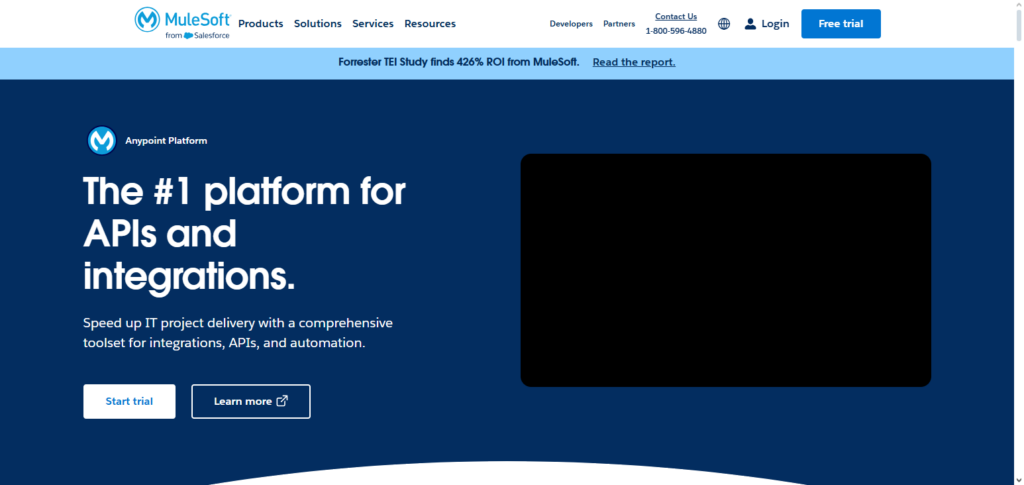
MuleSoft’s reusable assets, pre-built connectors, and hybrid deployments allow MuleSoft to digitally transform enterprise to governance and security. MuleSoft’s all-in-one monitoring, analytics, and API utilities help businesses to manage and monitor all integrations. MuleSoft is meant for enterprise to help with scalable and flexible integrations.
MuleSoft Anypoint Platform Features, Pros & Cons
Features
- Full lifecycle API management and API‑led connectivity
- Hybrid deployment (cloud and on‑premises)
- Templates and reusable assets
- Analytics and monitoring in real time
- Support for SDK and prebuilt connectors
Pros
- Governance and enterprise scalability
- Reuse and strong API strategy
- Integrations and analytics visibility
- Ecosystem and broad partner community
- Strong security and compliance
Cons
- More expensive than many competitors
- More difficult for non‑developers
- Licensing models can be complex
- May need dedicated specialists
- Longer implementation time
2. Dell Boomi (Boomi iPaaS)
Dell Boomi, the most prominent Best Enterprise Integration Software is a cloud-native integration application that connects apps, data, and devices. By utilizing a low-code environment, users are able to build integrations significantly more quickly, and without the need for a vast knowledge of coding.

Companies of all sizes are able to seamlessly integrate cloud and on-prem systems, and is geared towards larger, mid-size, and sprawling larger enterprises. A sizable increasing factor for a company is its automation, workflow orchestration, and centralized management tools, as they can substantially decrease the complexity of a workflow, while increasing nbsp; agility im business, as well the processes in which workflows tend to stagnate.
Dell Boomi (Boomi iPaaS) Features, Pros & Cons
Features
- Low‑code integration platform in the cloud
- Templates and connectors
- Batch and real‑time data processing
- Management and monitoring in a centralized way
- Support for hybrid environments
Pros
- Easy to use and implement
- Flexible architecture and large connector library
- Strong integration for both cloud and on‑premises
- Reliability and good scalability
- Strong community and excellent documentation
Cons
- May need coding for advanced customization
- Pricing grows with more usage and connectors
- Very large datasets can cause performance issues
- Some connectors are less mature than others
- Limited advanced data governance tools
3. Informatica Intelligent Cloud Services
Data as a driven enterprise is the most wanted Best Enterprise Integration Software Informatica Intelligent Cloud Services, or IICS for short. Informatica combines cloud integration with AI and automation to increase the velocity, improvement, and governance of a data stream.
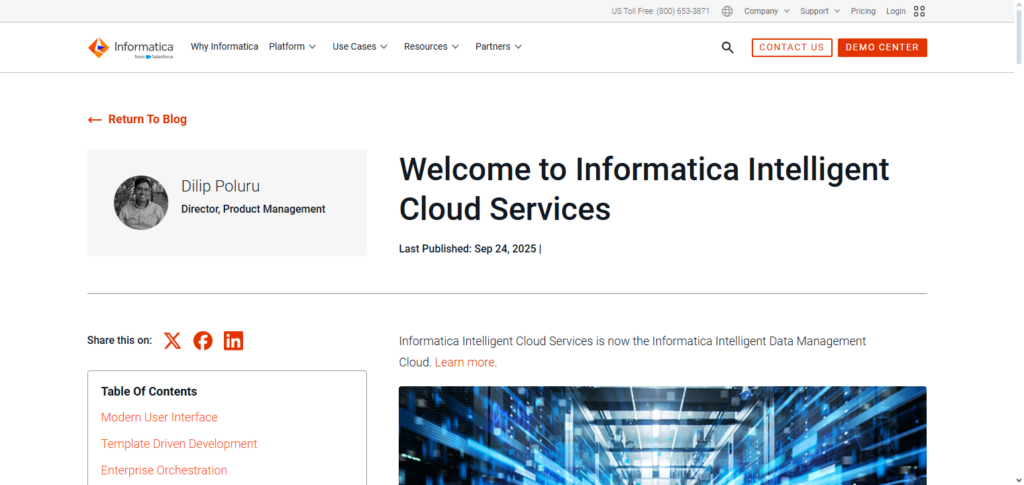
Informatica achieves both data quality and governance, as well as master data management with its ETL functionalities, enabling organizations to secure data with precision and consistent velocity. Informatica is a quicker, preferred, and most used low-code application for organizations with multiple, vast, and complex datasets because Informatica simplifies the integration monitoring and data analytics processes.
Informatica Intelligent Cloud Services Features, Pros & Cons
Features
- Cloud and hybrid data integration
- AI-powered mapping and automation
- Master data management (MDM)
- Data quality and governance tools
- ETL and ELT support
Pros
- Proven for complex enterprise data landscapes
- Strong data quality and governance capabilities
- AI/ML enhance mapping and transformation
- Highly scalable with enterprise reliability
- Broad support for data formats & sources
Cons
- Can be expensive for smaller teams
- Requires experienced users for full value
- UI can be complex for beginners
- Setup time for advanced features is longer
- Some advanced tooling requires separate modules
4. SnapLogic
SnapLogic was awarded as Best Enterprise Integration Software due to their focus on automation and designing workflows visually. Using SnapLogic is simple as their integration is done through Snaps that join a variety of systems in minutes.
Their AI Integration and automation assistants predict and perform integrations and do the work at a higher speed with fewer mistakes. SnapLogic’s platform is flexible and low-code, allowing IT teams to design complex integrations and orchestrate them with ease.
Some of the functions they provide are predictive analytics, and SnapLogic is able to support enterprises and their need for multifactor connectivity. What SnapLogic prioritizes is reliability, speed, and predictive analytics. Their platform is fully capable of delivering and maintaining the interconnectivity that is in demand.
SnapLogic Features, Pros & Cons
Features
- AI-assisted integration workflows
- Visual drag-and-drop interface
- Snaps (prebuilt connectors)
- Real-time and batch data pipelines
- Elastic scalability via cloud
Pros
- Fast, visual development experience
- AI boosts productivity and reduces manual work
- Strong for big data and cloud apps
- Good hybrid support
- Flexible and extensible
Cons
- Pricing may be high for smaller teams
- Some connectors can be less robust
- Advanced error handling can be tricky
- Performance tuning requires expertise
- Out-of-the-box templates not as abundant as msot coompetitors
5. Workato
The tech industry awarded Workato for Best Enterprise Integration Software due to the variety of automation, creating workflows with ease, and having low or no code at all. Workato’s tech has a variety of prebuilt connectors and recipes to aid with the integration of different systems. Ai automation is something Workato includes that helps utilize their platform to its full potential as they provide recommendations for better integration.
Workato is a platform for sophisticated integrations as they allow for event driven triggers, multi step workflows, and in the moment (real time) data processing. Automating processes without sacrificing security and compliance is something Workato prioritizes, and that is why it is ideal for enterprises undergoing digital transformations.
Workato Features, Pros & Cons
Features
- Builders for low/no automation code
- Extensive selection of connector integrations
- Suggestions for actions by AI
- Trigger and workflows of multiple steps
- Platforms/governance automation that is safe
Pros
- Quick onboarding for individuals without technical expertise
- Works best for automation of SaaS and business processes
- Great community for sharing recipes
- Ability to scale from small to big easily
- Quick return on investment
Cons
- Workflows that are complex can be difficult to control
- Cost increases systematically with volume of automation
- Advance features that are not common require custom code
- Limited support for on-premise integration
- Less optimal for data transformations that are significant
6. Jitterbit Harmony
For API-led integration and lifecycle management, Jitterbit Harmony is nominated as the industry leader on account of its founders and legacy. Within moments, clients can design, and manage their APIs and integrations and use the low-code platform to change the functionalities according to their requirements.
Jitterbit provides functionality for asynchronous and synchronous processing, batch-manual as well as hybrid connectivity, and provides templates for dozens of business scenarios. Organizations develop components and accelerate project delivery and cut development complexity.
Because of the monitoring, Jitterbit API management and analytics gain attention because of their efficient data flow and data that is effortlessly moved across applications. Jitterbit Harmony is the industry leader for organizations that demand agile integration & rapidly evolving multi cloud data ecosystems.
Jitterbit Harmony Features, Pros & Cons
Features
- Support for API integration lifecycle
- Design for low-code visually
- Processing that is real-time and batch
- Standard templates for common use cases
- Connectivity of both cloud and on-premise
Pros
- Quick development through intuitive interface
- Integration and API support that is good
- Deployment option flexibility
- Good templates ready for use
- Stability with moderate workloads
Cons
- Smaller marketplace for integrations than competition
- Requires code for custom advanced logic
- Some connectors are not fully developed
- Minimal native tools for governance
- Inconsistent documentation and support
7. Celigo Integrator.io
Celigo Integrator.io represents the Best Enterprise Integration Software award for the mid-market segment. The platform is best in class for its simplicity and prebuilt connectors to SaaS Applications, ecommerce, and ERP systems for automated workflows and activities.
Integrator.io supports data synchronization, multi-step workflows, and integrates across applications with minimal coding. With best in class monitoring and scalable architecture, the platform allows companies to optimize complex operational workflows, reducing manual workload.
Flexibility and prebuilt templates enable fast focused governance. Because of these features and fast automated operational template integration, the platform can scale with a growing enterprise.
Celigo Integrator.io Features, Pros & Cons
Features
- Focused on workflows of integrations with cloud
- E-commerce and ERP ERP connectors
- Integration builder
- Automation and data sync
- Tracking for monitoring and errors
Pros
- Quick installation and deployment.
- Excellent for SaaS and SaaS integrations.
- Mid-market companies find it affordable.
- Support and training resources are good.
- Interface that is flexible, yet straightforward.
Cons
- Not the best for highly complex enterprise requirements.
- Limited data transformation capabilities.
- Some connectors are elementary.
- Less robust than enterprise platforms.
- Data processing on a large scale can be sluggish.
8. Tray.io
Tray.io is considered the Best Enterprise Integration Software due to its versatile low-code automation and API orchestration. The platform enables businesses to integrate several cloud and on-premises applications through a single workflow automation. Tray.io supports intricate business functions, real-time data processing, and API integrations while upholding security and compliance.

It is easier for the IT and Business teams to setup and maintain integrations with Tray.io thanks to its visual editor and marketplace of workflow components. The combination of process automation, operational visibility, and the ability to scale make Tray.io a top-tier platform for enterprises with a digital transformation strategy.
Tray.io Features, Pros & Cons
Features
- Workflow automation with low-code requirement.
- Orchestration of APIs with advanced logic.
- Processing of real-time events.
- Marketplace for connectors.
- Visual design for workflows.
Pros
- Developer-friendly and very flexible.
- Strong management of APIs.
- Excellent for automating multiple business processes.
- Can manage complicated sequences of logic.
- Both IT and business users with little programming knowledge can use it.
Cons
- UI might overwhelm complete novices.
- Costs are based on the connectors and usage.
- Debugging large workflows can be challenging.
- Not best for processes with intensive ETL.
- Team use requires careful governance.
9. IBM App Connect
IBM App Connect is a top-rated Best Enterprise Integration Software for enterprises that need strong, seamless, and effortless connectivity between cloud, on-premises, and legacy systems. It facilitates API integration, event-driven workflow automation, and processing of data in real-time, allowing businesses to be agile and dynamic in the marketplace.

With AI-assisted detection of incidents, monitoring, and integration of various functions, operational risks are lowered. IBM App Connect is relied on and preferred by enterprises who need a highly scalable and secure platform for mission-critical integrations.
IBM App Connect Features, Pros & Cons
Features
- Integration of multiple enterprises with support for APIs.
- Real-time and event-driven workflows.
- Support for legacy and current systems.
- AI-assisted transformation and mapping.
- Hybrid cloud��
Pros.
- Outstanding for complicated enterprise systems.
- Great legacy integration abilities.
- Very good compliance and security.
- Scales throughout big systems.
- Built-in error handling and monitoring.
Cons.
- Steeper learning curve.
- It can be expensive at massive scale.
- UI has complexity at an advanced level.
- Setup and customization can take a while.
- Compared to cloud-native solutions, fewer prebuilt SaaS connectors.
10. Oracle Integration Cloud
Oracle Integration Cloud is awarded the Best Enterprise Integration Software for enterprise-grade cloud and hybrid integration. The Integration Cloud offers prebuilt adapters, low-code process automation, API management and real-time monitoring for easy integration within SaaS and on-premises deployed applications.
The platform caters to sophisticated workflows, business process automation and process analytics so that enterprises can gain useful insights and optimize operations. The Integration Cloud is scalable and secure, allowing large enterprises that have diverse IT landscapes to invest. Enterprise Integration Software assists enterprises in digital transformation and enhances the efficiency of diverse operational workflows.
Oracle Integration Cloud Features, Pros & Cons
Features.
- Prebuilt connectors for third-party and Oracle applications.
- Automation of processes with no coding.
- Monitoring and integration analytics.
- Orchestration and management of APIs.
- Support for hybrid cloud.
Pros.
- Excellent for deployments in the Oracle ecosystem.
- Great automation and observability.
- Scalable and secure for enterprises.
- Support and documentation are good.
- Centralized governance.
Cons.
- It is best value when an organization is already using the Oracle software.
- It can be expensive for those in a non-Oracle ecosystem.
- Steeper learning curve for complex orchestrations.
- Performance can vary when under heavy loads.
- Some connectors are difficult to configure.
Conclusion
For businesses trying to integrate heterogeneous systems, improve operations, and promote digital transformation, selecting the appropriate enterprise integration software is essential.
Strong solutions for API administration, workflow automation, and data integration are offered by platforms like MuleSoft Anypoint Platform, Dell Boomi, Informatica, SnapLogic, and others.
The finest software reduces manual labor, boosts productivity, and upholds governance in complex IT environments by striking a balance between scalability, security, ease of use, and adaptability.
In the end, choosing the appropriate integration platform enables businesses to establish seamless connectivity across apps, data, and processes, expedite innovation, and improve collaboration.
FAQ
What is enterprise integration software?
Enterprise integration software connects applications, data, and systems across an organization to enable seamless data exchange, process automation, and improved operational efficiency.
Why do businesses need enterprise integration software?
Businesses adopt integration software to eliminate data silos, automate workflows, support digital transformation, gain real‑time insights, and streamline communication between cloud, on‑premises, and legacy systems.
What features should the best enterprise integration software have?
Key features include API management, low‑code/no‑code development, prebuilt connectors, real‑time data processing, security and governance, scalability, analytics, and hybrid deployment options.
Which platforms are considered the best enterprise integration solutions?
Top solutions include MuleSoft Anypoint Platform, Dell Boomi (Boomi iPaaS), Informatica Intelligent Cloud Services, SnapLogic, Workato, Jitterbit Harmony, Celigo Integrator.io, Tray.io, IBM App Connect, and Oracle Integration Cloud.