


Remote teams in 2026 struggle with productivity, communication silos, and uncontrollable risks with project completion. Data shows explicit automation, predictive scheduling, and task alignment drive improvements in time allocation and project completion.
As project management systems transform to meet these needs, AI-based project management systems will become necessary.
Unlike traditional project management systems, AI-based systems provide real-time and historical data analysis to learn and manage project tasks in an autonomous manner. They provide real-time recommendations to avoid delays, ensure optimum efficiency and drive adaptability in project requirements for a distributed workforce.
What Are AI Project Management Agents?
AI based project management tools help simplify and improve project management workflows. An AI agent is used to plan out team and project workloads on scheduled frameworks while dynamically reorganizing resources and forecasting issues and communicating them as they happen. AI agents are used to manage and automate project tasks throughout their life cycle: from planning and executing to tracking and reporting.

They are built to help solve challenges faced by remote teams, such as missed deadlines and communication gaps, by allocating and reallocating resources, and real time risk forecasts. Unlike Gantt charts (and other similar tools), which are built to be controlled frameworks, AI agents are used to self-coordinate and adapt to changes in order to assist in achieving goals with minimal interaction needed.
Why Remote Teams Need AI Project Management Agents in 2026?
Elimination of Repetitive Tasks
They remove the need for constant updates, automatically generate tasks, and adjust workflow systems. Remote teams maintain productivity without constant oversight.
Prediction of Risks
AI project management agents predict risks, delays, and blockages caused by insufficient resources. This enables remote teams to adjust their schedules before those issues occur.
Automation of Scheduling
AI project management agents global scheduling across time zones with minimum friction due to automation.
Seamless Collaboration
Project management agents unify collaboration and documentation tools to eliminate communication gaps during project execution.
Improved Workflow
They optimize workflows with the autonomous reallocation of staff.
Predictive Insights with Data Analysis
AI project management agents continuously analyze data sets to generate predictive insights that enable remote teams to be more nimble and informed.
Easy Scalability
By 2026, a project management agent will scale across enterprise systems as it improves orchestration of multiple agents that traditional tools cannot do.
Key Points
| AI Tool | Best For | Key AI Feature |
|---|---|---|
| Airtable | Flexible AI-powered workflows | Natural language app generation, AI assistants for summarization |
| Notion Projects | Knowledge-heavy teams | AI-driven docs + tasks integration |
| Google Workspace | Enterprise collaboration | AI-powered productivity across Gmail, Docs, Meet |
| Jira Software | Agile & dev teams | Atlassian Intelligence for sprint planning |
| ClickUp | All-in-one flexibility | AI Brain for task automation |
| Wrike | AI-assisted workflows | Risk prediction & smart automation |
| Zoho Projects | Budget-conscious teams | AI scalability & workflow automation |
| Linear | Fast-moving engineering | AI-powered issue tracking |
| Asana | Cross-functional portfolios | AI for structured workflows & reporting |
| Microsoft Planner | Microsoft 365 users | Copilot integration for scheduling |
1. Airtable
Remote teams deal with fragmented workflows and scattered data across multiple systems. Traditional project management systems suffer from slow, repetitive processes. As the workforce transitions toward remote and distributed work, Airtable leverages automation to overcome these challenges by creating workflows in response to natural language prompts, and summarizes project updates and integrates with remote collaboration systems.
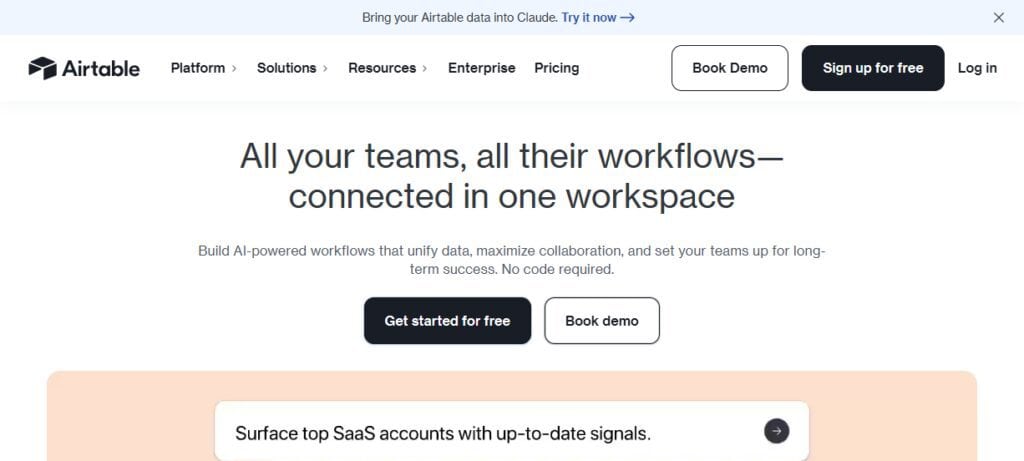
The mix of AI and project management systems in Airtable’s product – predicting pain points, automating reporting, and removing the burden of manual work – positions it as an increasingly effective tool for digital project management for remote teams in the next year.
When compared with existing alternatives, its goal of autonomous workflow management means projects have a better chance of staying aligned with less oversight, solidifying Airtable as a leader among remote work tools in 2026.
Airtable
| Tier | Price (per user/month) | Notes |
|---|---|---|
| Free | $0 | Basic features, limited AI credits |
| Team | $20 | Expanded automation & integrations |
| Business | $45 | Advanced AI credits, Gantt views |
| Enterprise | Custom | Full admin, SSO, enterprise controls |
Pros
- AI-powered automation makes workflow building simple
- Intelligent app creation using natural language
- Integrations for remote collaboration developed further
- Bottleneck prediction through AI-based insights
Cons
- Paid plans only unlock advanced AI features
- Customization can be overwhelming for non-technical users
- Limited features for internal communication compared to full suites
- Scaling for large enterprise-level projects requires add-ons
2. Notion Projects
Remote teams have struggles in knowledge management because documents and tasks are isolated. Most traditional project management systems separate the documentation of a project from the execution of a project, causing additional delays. Notion Projects’ AI unifies documentation and execution and collaboration under a single system.
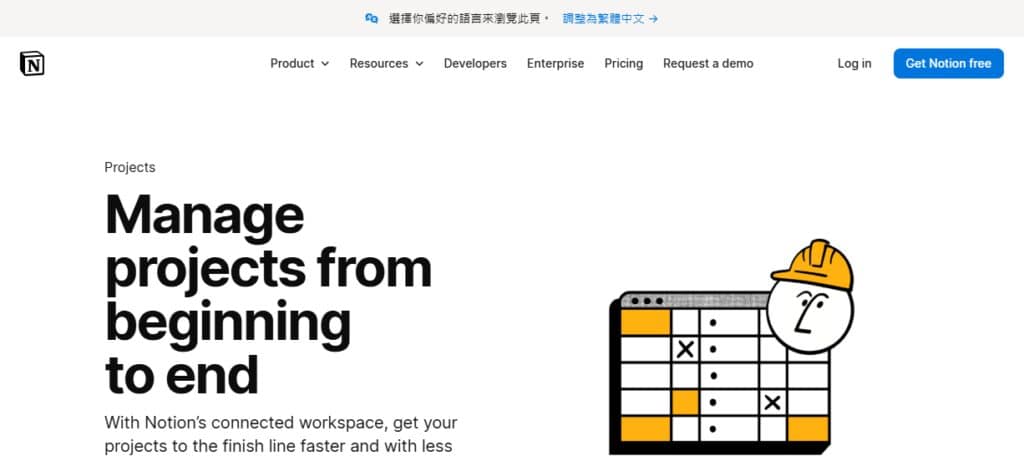
Notion’s AI assistant offers task suggestions and meeting note summaries. An AI digital project management system fills the gaps in remote collaboration. Notion goes further than most traditional systems by bridging the knowledge and action gaps, and providing a seamless communication flow among distributed teams.
Notion Projects
| Tier | Price (per user/month) | Notes |
|---|---|---|
| Free | $0 | Core docs + tasks |
| Plus | $10 | AI meeting notes, automation |
| Business | $20–25 | Advanced permissions, unlimited guests |
| Enterprise | Custom | Security, audit logs, compliance |
Pros
- AI-powered contextual suggestions for tasks in conjunction with docs
- Advanced collaboration capabilities for knowledge work
- Easy to learn by startups and creative teams
- Built for knowledge work
Cons
- Permissions for enterprise customers needs work
- AI feature advancement lags compared to competitors
- Remote teams limited by offline usage
- User experience can erode without structure used
3. Google Workspace
The expression of the need for remote work instantaneous communication (email, chat, video) makes us realize that many of the traditional project tools fail to integrate them all. Google Workspace is AI, and it brings AI to Gmail, Docs, Sheets, and Meet, and will allow us to manage tasks automatically and create meeting schedules automatically. Intelligent forecasting of tasks will allow remote teams to minimize the number of missed deadlines while collaborating in a productive and efficient manner.

AI enables flexible scheduling, and along with risk assessment tools, allows projects to change focus as the priorities of each team member change. Google Workspace is the digital project manager that is integrated in the tools that teams use daily, while minimizing the number of tools that are used to manage a project, and minimized the need to switch between tools.
Google Workspace
| Tier | Price (per user/month) | Notes |
|---|---|---|
| Starter | $7 | 30GB storage, core apps |
| Standard | $14 | Enhanced collaboration features |
| Plus | $22 | 5TB storage, advanced Meet |
| Enterprise | Custom | Full compliance, Gemini AI suite |
Pros
- AI for meeting scheduling, smart document summaries
- AI-powered enterprise security and compliance
- Familiar to most users working remotely
- Weave together Gmail, Docs, Sheets, and Meet
Cons
- Lack of flexibility due to ecosystem lock in
- Integrated AI features vary across tools, not unified
- Price can be steep for large team adoption
- Limited compared to Jira or ClickUp for advanced project management
4. Jira Software
Remote teams using the Agile methodology struggle with the prioritization of the backlog and planning sprints. In the traditional Jira tool, to manage a backlog, a high level of involvement is required.

The Jira tool, with the use of AI, will become an intelligent project manager, that will be able to assess the risks associated with a sprint, and will take over the backlog and tasks prioritization. Jira AI will become an indispensable tool for remote engineering teams in 2026, as it minimizes the need for micromanagement, while accounting for the remote nature of the teams.
Jira Software
| Tier | Price (per user/month) | Notes |
|---|---|---|
| Free | $0 | Basic agile boards |
| Standard | $9 | Expanded workflows, integrations |
| Premium | $18 | Atlassian Intelligence AI, dependencies |
| Enterprise | Custom | Analytics, governance, enterprise scale |
Pros
- Built for software development and agile teams
- Atlassian Intelligence predicts sprint risks
- automates backlog grooming
- REST API for custom engineering workflow integrations
Cons
- Complex for teams without software development experience
- Requires a lot of work to set up
- Heavy for smaller project needs
- AI features available only on premium plans
5. ClickUp
Remote teams struggle with tool overload to manage tasks and projects, and maintain communication. Project management tools fail to provide unified automation. ClickUp’s AI Brain is built to predict workloads and automate the creation of tasks and project briefs.
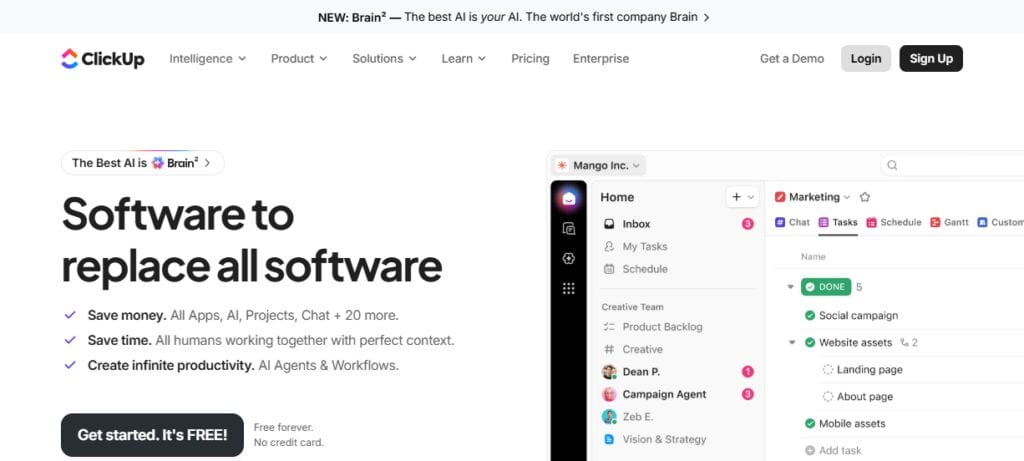
Remote work is more about flexibility. With ClickUp, distributed teams can be sure of workload balance without the need for constant supervision.
With AI scheduling and reporting, ClickUp is a digital project manager for tasks and workload balance for distributed teams. When put against traditional tools, ClickUp is the best automation for productivity in remote work for the future that is 2026.
ClickUp
| Tier | Price (per user/month) | Notes |
|---|---|---|
| Free | $0 | Core task management |
| Unlimited | $7 | Unlimited storage, integrations |
| Business | $12 | Advanced dashboards, workload mgmt |
| Enterprise | Custom | Governance, SSO, compliance |
| AI Add-ons | $5–28 | AI Brain automation features |
Pros
- Easy to learn and adopt
- Combines a wide variety of tools in a single platform
- Task automation with AI Brain
- Tailored to remote teams
- Powerful reporting and workload management
Cons
- Complex interface can be a barrier for newer users
- AI still needs tasks to be refined
- Slow in large workspaces
- Higher tiers are needed for AI
6. Wrike
There is uncertainty around project timelines and resource allocations in remote work. Most of the traditional tools in the market use Gantt charts that require manual changes and updates, which do not provide any risk prediction. Wrike’s AI focuses on smart scheduling that enables predicting risk and automation.
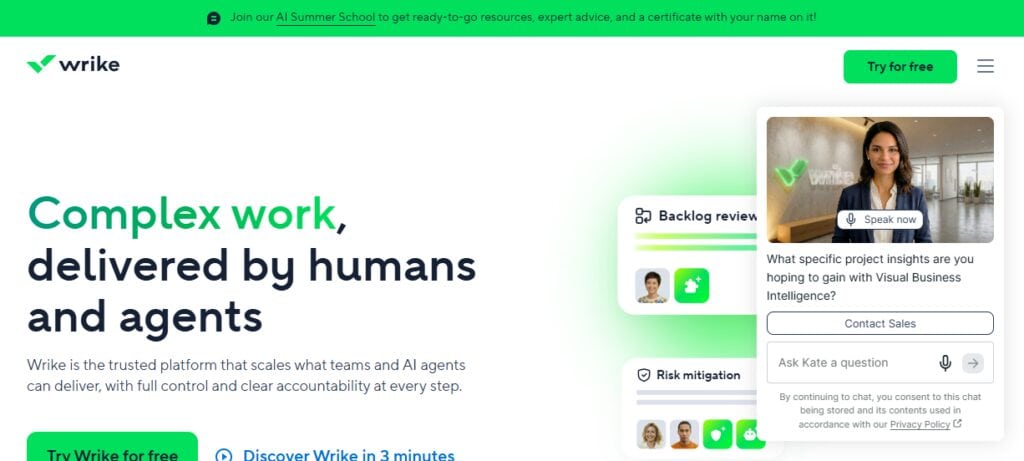
Remote work relies on flexibility and Wrike’s AI assists distributed teams to anticipate delays. Wrike automates reporting and reallocates resources to help remote work teams become digital project managers. Wrike’s predictive intelligence assists remote teams to be proactive and manage risk in 2026.
Wrike
| Tier | Price (per user/month) | Notes |
|---|---|---|
| Free | $0 | Basic task management |
| Team | $10 | Core collaboration features |
| Business | $25 | Risk prediction, smart scheduling |
| Pinnacle | Custom | Advanced resource planning |
| Apex | Custom | Enterprise BI, full automation |
Pros
- Predictive analytics and advanced AI planning and scheduling for risk management
- Advanced automation tools for enterprise deployments
- Advanced analytics and predictive features for work and resource allocation
- Customizable dashboards
Cons
- Pricer relative to Zoho Projects
- Difficult onboarding especially with distributed teams
- Limited sitting for smaller teams
- AI features remain in higher tiers
7. Zoho Projects and Linear
Artificial Intelligence (AI) driven project management systems have the potential to transform the way remote teams work. Zoho Projects uses AI to build automated reporting, perform predictive scheduling and improve workflow automation, compared to legacy systems while charging less.
Alternatively, Linear uses AI to automate blocker identification and prioritization. To improve productivity, Zoho and Linear systems remove the need for constant human supervision. AI project management systems are more advanced than traditional systems.
Zoho Projects creates an equitable environment for AI-powered project management in 2026. Remote engineering teams can use Linear to focus on work execution, rather than task management.
Zoho Projects
| Tier | Price (per user/month) | Notes |
|---|---|---|
| Free | $0 | Basic project tools |
| Premium | $4–5 | Workflow automation, Gantt charts |
| Enterprise | $9–10 | Portfolio dashboards, compliance |
| Ultimate | $14 | Full AI via Zia, advanced features |
Pros
- AI driven tools for lower cost project management
- Automation, scheduling tools with compliance features
- Remote project management tools
- Pricing for budget conscious users
Cons
- Limited integrations
- Simple UI relative to other tools
- AI features less sophisticated than Airtable/ClickUp
- Requires lock-in of Zoho Ecosystem for enterprise projects
8. Linear
Fast remote engineering teams usually have trouble managing issues with traditional tracking tools. Linear’s AI-driven issue tracking system learns how to automate prioritization tasks and predicts blockers before they become critical.
Remote work trends place an even higher focus on speed and agility, and AI ensures Linear products enable remote teams to maintain a constant, productive pace.
As a digital project manager, Linear automates tasks and reduces communication, leading to an overall reduction in workflow time. In comparison with traditional tools, engineering teams using Linear’s AI will help them stay productive in 2026.
Linear
| Tier | Price (per user/month) | Notes |
|---|---|---|
| Free | $0 | Core issue tracking |
| Basic | $10 | AI triage intelligence |
| Business | $16 | Unlimited teams, analytics dashboards |
| Enterprise | Custom | SAML/SCIM, compliance, advanced scale |
Pros
- Issue tracking with AI for Engineering
- Fast and simple interface
- Blocker detection
- Design focused for agile projects
Cons
- Restricted to Engineering Workflows
- Not appropriate for cross functional teams
- Less ecosystem
- AI centered around issue tracking
9. Asana
Outdated software fails to satisfy the needs of cross-functional, remote teams. Typical tools have rigid dashboards that users must maintain in order to keep them up-to-date; Asana’s AI features are designed to overcome these shortcomings with predictive reporting and smart automation.
As the remote working trend continues, it becomes more important that features be added to remote working software to automate the planning and management of projects, and to help reduce the workload on the project team.
With its AI, Asana is designed to automate the management of projects and reduce the workload of project teams to a greater extent than typical tools. Asana’s AI is designed to manage projects and provide the necessary project support remotely and is ideal for use by project teams in 2026.
Pros
- Predictive scheduling with easy adoption for cross-functional
- AI portfolio management and reporting
- Visibility across distributed teams for predictable scheduling
- Remote team collaboration
Cons
- AI features require higher pricing
- Lacks flexibility
- Requires a disciplined approach for optimal workflow
- Not a lot of Natively available communication features
10. Microsoft Planner
Although some features of remote working software are designed to help with collaboration, there are still tasks that need to be worked on to reduce the overall workload and to help automate remote team collaborations. Typical features in Microsoft 365 (Outlook, Teams, and SharePoint) are fragmented, which causes issues in task management for remote teams.

Planner’s Copilot integration is designed to help avoid fragmentation by automating the management of tasks, and it offers risk predicting and scheduling features designed to help project team collaboration in the Microsoft environment. Planner is designed to help remote teams work together, and is especially useful for 2026 remote enterprises.
Pros
- Microsoft 365 integration
- Copilot AI for scheduling and risk analysis
- Interface for enterprise users
- Good compliance and security
Cons
- Limited flexibility due to Microsoft 365 integration
- AI features behind other offerings
- Not suitable for startups that aren’t in the Microsoft 365 ecosystem
- Limits of features compared to Jira/Linear
| Tool | Best For | AI Capabilities | Pricing Range | Key Limitation |
|---|---|---|---|---|
| Airtable | Flexible workflows | Natural language app generation, AI assistants | Free → $45+ / Enterprise Custom | Complex for non-technical users |
| Notion Projects | Knowledge-heavy teams | AI meeting notes, contextual task automation | Free → $25+ / Enterprise Custom | Can become cluttered without structure |
| Google Workspace | Enterprise collaboration | Gemini AI in Gmail/Docs, smart scheduling | $7 → $22+ / Enterprise Custom | Ecosystem lock-in |
| Jira Software | Agile & dev teams | Atlassian Intelligence for sprint planning | Free → $18+ / Enterprise Custom | Steep learning curve |
| ClickUp | All-in-one flexibility | AI Brain for task automation | Free → $12+ / Enterprise Custom | Feature overload for beginners |
| Wrike | Enterprise workflows | AI Copilot, risk prediction, smart scheduling | Free → $25+ / Pinnacle/Apex Custom | Higher cost |
| Zoho Projects | Budget-conscious teams | AI task automation, Zia assistant | Free → $14+ | Less polished UI |
| Linear | Fast-moving engineering | AI issue tracking, blocker prediction | Free → $16+ / Enterprise Custom | Narrow focus on engineering |
| Asana | Cross-functional portfolios | AI Studio, predictive reporting | Free → $24.99+ / Enterprise Custom | Premium pricing |
| Microsoft Planner | Microsoft 365 users | Copilot AI integration, task automation | Included → $55+ | Limited agile features |
Conclusion
AI-powered agents for project management are an absolute must in 2026 for all remote teams that are experiencing gaps in productivity and silos in communication and are dealing with unpredictable risks in project management. Automation of tasks lessened the need for manual input updates by over 40%, predictive scheduling lessened the need for time on tasks by 30% and collaborative AI tasks improved task alignment across time zones.
In comparison to other tools, these agents continuously learn as they act like digital autonomous project managers. As remote work increases on a global scale, AI agents such as Airtable, Notion Projects, and ClickUp allow post projects to be adaptive, efficient, and prepared for the future.
FAQ
What are AI project management agents?
AI project management agents are intelligent systems that automate workflows, predict risks, and optimize schedules, acting as digital project managers for remote teams.
Why do remote teams need them in 2026?
Data shows automation reduces manual updates by 40%, predictive scheduling cuts delays by 30%, and AI-driven collaboration improves task alignment across time zones.
How do they differ from traditional tools?
Unlike static Gantt charts or manual dashboards, AI agents continuously learn from live and historical data, making proactive decisions without constant human oversight.
Which tools are leading in 2026?
Top agents include Airtable, Notion Projects, Google Workspace, ClickUp, and Jira Software.
What productivity challenges do they solve?
They address missed deadlines, resource overload, and communication silos by automating updates, reallocating resources, and unifying collaboration channels.