In this article, I will analyze the Best Drone Mapping Softwares for Construction Surveys. I will note their features, accuracy, and mapping capabilities as well as integrations, pricing, and their best use cases.
This guide will help you select the best drone mapping software for construction surveys for efficient site planning, progression monitoring, and overall construction efficacy no matter if you are a project manager, surveyor, contractor, or engineer.
What is Drone Mapping Softwares ?
Drone mapping software includes programs used to manipulate data captured via drone to create 3D models, accurate digital maps, orthomosaics, point clouds, digital elevation and terrain models, etc. Photogrammetry is at the heart of most of the data processing, and after geolocation is performed, the data can be analyzed as survey data.
Companies involved in construction, surveying, engineering, and operations of mines and infrastructural developments utilize drone mapping software to take measurements, calculate volumes, monitor and assess the progress of work, perform site inspections, and develop digital twins of construction sites.

Surveying and mapping accuracy software improve the time and cost of surveying and mapping and improve the quality and timeliness of decisions made during construction and engineering of works.
Why Use Drone Mapping Softwares for Construction Surveys
Better Survey Accuracy
Using RTK or PPK technology with Drone Mapping Software creates models, terrain data, and maps with 3D orthomosaics that are highly accurate. This data is relevant enough for Surveyors and Engineers and helps when designing and constructing.
Time Efficient
Aerial data can be captured in a matter of minutes with drone mapping software versus the traditional land survey which can take days to complete. Drone mapping also maximizes the efficiency of site survey processes through automated flight plans and automated image processes.
Lowers Costs
By reducing manual surveying and the need for repeated site visits, drone mapping software allows construction companies to lower operational costs and boosts productivity during the entire project.
Improved Safety
Drones can survey dangerous and hard to access construction sites without putting employees at risk. This enhances safety at the construction site and still allows for the documentation of the construction site.
Project Tracking
To keep track of the construction, teams can fly the drone to identify if the completed work is on track with the plans and to locate problems that could potentially incur costs.
Accurate Calculations for Site Work
Drone mapping software provides insight for building better budgets and material management for construction projects through the measurement and analysis of site work and stockpiled materials.
2D and 3D Modeling
Digital Elevation Models, 3D Point Clouds and Orthophotos, and other 3D models are created from captured data and aid in design verification and present complex ideas to stakeholders and support engineering.
Team Collaboration is Enhanced
As a feature of most contemporary drone mapping applications, the use of internet-based collaborative tools means surveyors, engineers, architects, contactors and project managers can all access and update mapping data from any location.
Compatibility with CAD, BIM and GIS Software
The more advanced drone mapping solutions are compatible with all the major construction software and cloud-based tools, such as AutoCAD, Revit, ArcGIS, Bentley, and Procore, which simplifies project management and data.
Improves Decision-Making
Drone mapping software provides construction professionals with the means to manage a project with a greater level of detail and make more informed decisions at every phase of the project, by providing comprehensive, early issue identification, and unobstructed visualization of data and analytics.
Best Drone Mapping Softwares for Construction Surveys List
- DroneDeploy
- Pix4D
- Propeller Aero
- Esri Site Scan for ArcGIS
- Bentley ContextCapture
- DJI Terra
- Skycatch
- Maps Made Easy
- RealityCapture
- Agisoft Metashape
10 Best Drone Mapping Softwares for Construction Surveys
1. DroneDeploy
DroneDeploy is one of the Best Drone Mapping Softwares for Construction Surveys because it has a user-friendly aerial mapping, 3D modeling, and documentation software built conveniently in the cloud. The Construction industry has the ability to capture high-resolution images from drones and, without the need for sophisticated skills or backgrounds, turn them into orthomosaics, digital surface models, and volumetric calculations.
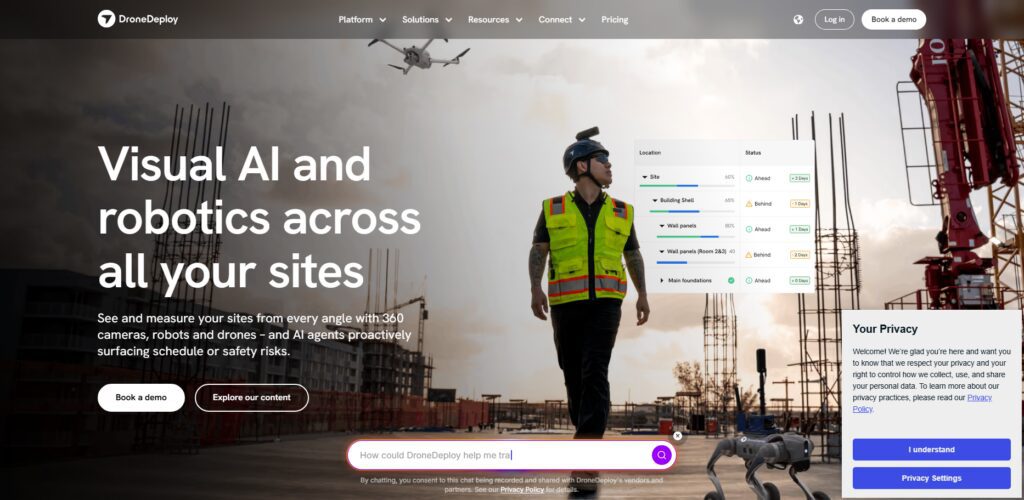
Software also has the capability to automate flight plans and analyzes data using AI, all the while enabling team members to work concurrently. As one of the Best Drone Mapping Softwares for Construction Surveys, DroneDeploy works with Autodesk, Procore, BIM 360, and GIS, and helps construction teams survey smarter, safer, and more cost-efficient using the software built to aid construction decisions.
DroneDeploy Features, Pros & Cons
Features
| Feature | Details |
|---|---|
| Cloud-Based Processing | Processes drone imagery in the cloud without requiring high-end local hardware. |
| Automated Flight Planning | Creates repeatable autonomous flight missions for consistent site surveys. |
| 2D & 3D Mapping | Generates orthomosaics, 3D models, digital surface models, and point clouds. |
| AI Site Analytics | Uses AI to identify site progress, measure areas, and detect changes over time. |
| Construction Integrations | Connects with Autodesk Construction Cloud, Procore, BIM 360, and other project management platforms. |
Pros
| Pros | Explanation |
|---|---|
| User-Friendly Interface | Easy for beginners and professionals to operate. |
| Fast Cloud Processing | Quickly converts drone images into maps and reports. |
| Excellent Collaboration | Teams can securely share maps and project data online. |
| Strong Construction Focus | Designed specifically for construction monitoring and inspections. |
| Regular Feature Updates | Frequently introduces new AI and automation capabilities. |
Cons
| Cons | Explanation |
|---|---|
| Premium Pricing | Advanced plans can be expensive for small businesses. |
| Internet Dependency | Cloud processing requires reliable internet access. |
| Subscription Model | Most advanced features require ongoing payments. |
| Limited Offline Functionality | Not ideal for remote locations without connectivity. |
| Large Projects Consume Credits | Extensive processing may increase operational costs. |
2. Pix4D
Pix4D is one of the leading photogrammetry software solutions and one of the Best Drone Mapping Softwares for Construction Surveys. Pix4D creates a variety of 2D and 3D models, digital terrain, and point clouds, from a drone image collection of nearly any size, with an industry-leading accuracy of a few centimeters.
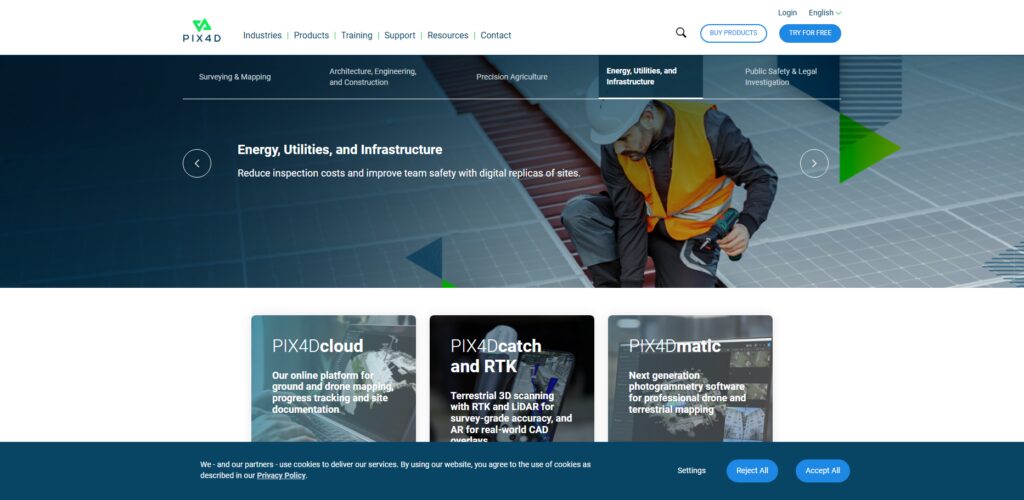
The software also provides the ability to perform drone surveys, both RTK and PPK, with unparalleled accuracy and advanced image processing capabilities. In addition to its surveying capabilities, Pix4D offers a host of offline processing and cloud security options.
Integration with Autodesk and Bentley’s software products, as well as GIS and BIM, makes Pix4D an industry-leading photogrammetry solution, especially in the construction surveys arena.
Pix4D Features, Pros & Cons
Features
| Feature | Details |
|---|---|
| Advanced Photogrammetry | Produces highly accurate survey-grade maps and 3D models. |
| RTK & PPK Support | Delivers centimeter-level accuracy for professional surveys. |
| Desktop & Cloud Processing | Offers flexible deployment options. |
| CAD & GIS Export | Supports AutoCAD, ArcGIS, Bentley, and BIM workflows. |
| Dense Point Cloud Generation | Creates detailed terrain and infrastructure models. |
Pros
| Pros | Explanation |
|---|---|
| Industry-Leading Accuracy | Trusted by surveyors worldwide. |
| Offline Processing | Ideal for secure and confidential projects. |
| Wide Drone Compatibility | Supports many commercial drone brands. |
| Powerful Editing Tools | Allows manual refinement of outputs. |
| Professional Survey Results | Suitable for engineering-grade mapping. |
Cons
| Cons | Explanation |
|---|---|
| Steep Learning Curve | Beginners require training. |
| High Hardware Requirements | Desktop processing needs powerful computers. |
| Premium Licensing | Professional editions are expensive. |
| Long Processing Times | Large datasets require significant computing time. |
| Complex Interface | Advanced features may overwhelm new users. |
3. Propeller Aero
Propeller Aero is excellent for contractors, miners, and civil engineers. It integrates drone mapping and cloud processing. It’s one of the Best Drone Mapping Softwares for Construction Surveys because you can pinpoint quantities of cut and fill, monitor piles, analyze the advancement of work, and even compare site conditions.

It features an intuitive dashboard for 3D mapping and processing, which helps crews collaborate and survey manually less.
Propeller Aero uses patents-pending AeroPoints ground control technology and offers survey-grade precision. It automated measurements and offers an edge for project planning and progress reporting.
Propeller Aero Features, Pros & Cons
Features
| Feature | Details |
|---|---|
| AeroPoints Integration | Improves survey accuracy with smart ground control points. |
| Earthwork Calculations | Measures cut-and-fill and stockpile volumes. |
| Cloud Collaboration | Shares interactive maps with project teams. |
| Progress Tracking | Compares survey data across multiple dates. |
| Survey Dashboard | Provides centralized construction insights. |
Pros
| Pros | Explanation |
|---|---|
| Excellent Earthworks Tools | Ideal for excavation and mining projects. |
| Survey-Grade Accuracy | Produces reliable measurements. |
| Easy Data Sharing | Cloud dashboards improve collaboration. |
| Automated Workflows | Saves field survey time. |
| Reliable Reporting | Simplifies project documentation. |
Cons
| Cons | Explanation |
|---|---|
| Higher Subscription Cost | Better suited for enterprise users. |
| Limited Consumer Features | Focuses mainly on construction industries. |
| Requires AeroPoints for Best Accuracy | Additional hardware investment. |
| Smaller Ecosystem | Fewer third-party integrations than competitors. |
| Internet Needed | Cloud features depend on connectivity. |
4. Esri Site Scan for ArcGIS
Esri Site Scan for ArcGIS is a highly specialized professional mapping tool for drones designed for organizations in the ArcGIS ecosystem. It automates several time-consuming tasks for surveyors, including flight planning and photo processing. It integrates advanced GIS technologies for orthophotos, elevation and point cloud data, and even 3D modeling.
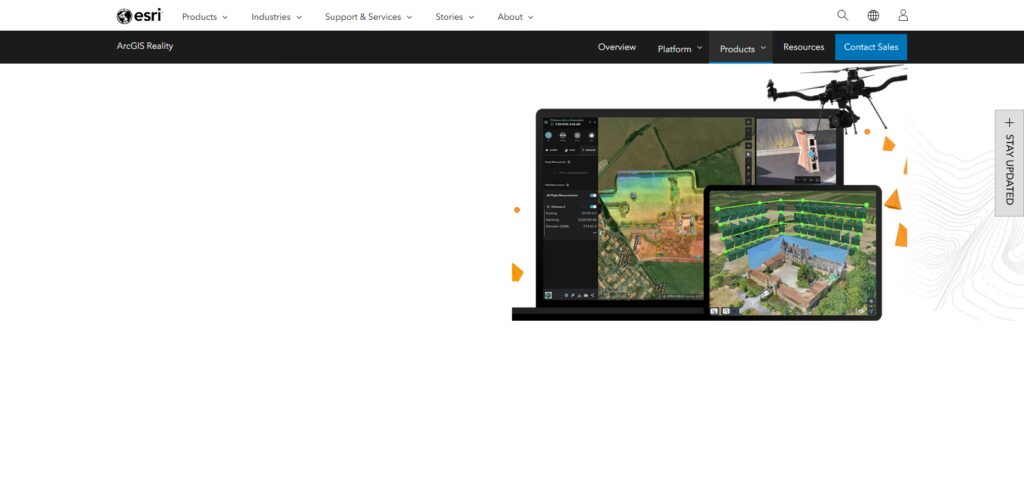
Site Scan is one of the Best Drone Mapping Softwares for Construction Surveys because of its direct integration with ArcGIS Online and ArcGIS Enterprise. Construction firms can examine the state of their construction and infrastructure and share geo-data within their organizational silos by site scan, all while ensuring their data security and integrity.
Esri Site Scan for ArcGIS Features, Pros & Cons
Features
| Feature | Details |
|---|---|
| ArcGIS Integration | Seamlessly works with ArcGIS Online and Enterprise. |
| Automated Drone Missions | Simplifies aerial survey planning. |
| GIS Analysis | Enables advanced geospatial analytics. |
| Cloud Image Processing | Converts drone images into maps automatically. |
| Enterprise Security | Designed for large organizations. |
Pros
| Pros | Explanation |
|---|---|
| Excellent GIS Capabilities | Perfect for mapping professionals. |
| Enterprise Ready | Suitable for government and large firms. |
| Strong Data Management | Centralized geospatial workflows. |
| Reliable Cloud Infrastructure | Secure data storage. |
| High Scalability | Supports large construction projects. |
Cons
| Cons | Explanation |
|---|---|
| Expensive Licensing | Better suited for enterprise budgets. |
| Requires ArcGIS Knowledge | Learning GIS is necessary. |
| Limited Appeal for Small Businesses | Overkill for simple surveys. |
| Cloud Dependence | Internet required for many functions. |
| Advanced Configuration | Initial setup can be complex. |
5. Bentley ContextCapture
Bentley ContextCapture is a highly sophisticated reality modeling engine that constructs digital twins from drone imagery, laser scans, and photographs. It provides a high level of detail and is most frequently utilized in infrastructure and large construction projects, especially those involving high levels of precision.

ContextCapture has also been rated as one of the Best Drone Mapping Softwares for Construction Surveys. The software provides builders and civil engineers with the ability to create realistic 3D meshes of buildings and other geospatial features (e.g. road, bridges, construction sites).
Due to ContextCapture’s seamless integration with Bentley’s engineering software, design and structural analyses, and visualization of the building and construction process, are fully supported. ContextCapture’s scalable and flexible processing allows it to adapt to the needs of smaller construction sites or larger, more extensive infrastructure projects.
Bentley ContextCapture Features, Pros & Cons
Features
| Feature | Details |
|---|---|
| Reality Modeling | Produces detailed digital twins. |
| Large Dataset Processing | Handles cities and infrastructure projects. |
| Laser Scan Support | Combines LiDAR and drone imagery. |
| BIM Integration | Supports Bentley engineering software. |
| High-Resolution Meshes | Creates realistic 3D environments. |
Pros
| Pros | Explanation |
|---|---|
| Outstanding 3D Models | Extremely detailed outputs. |
| Infrastructure Focus | Excellent for bridges, highways, and railways. |
| Supports Massive Projects | Processes billions of points. |
| Digital Twin Creation | Useful for lifecycle management. |
| Engineering Integration | Works seamlessly with Bentley products. |
Cons
| Cons | Explanation |
|---|---|
| Very Expensive | Enterprise-focused pricing. |
| Requires Powerful Hardware | Intensive computing resources. |
| Complex Workflow | Not beginner-friendly. |
| Long Processing Times | Large projects require patience. |
| Limited Casual Use | Best for professional engineers. |
6. DJI Terra
DJI Terra is DJI’s mapping software specifically designed to work with its enterprise-level drones. It provides flight automation, real-time mapping, 2D orthomosaic and 3D model generation, as well as inspection automation.
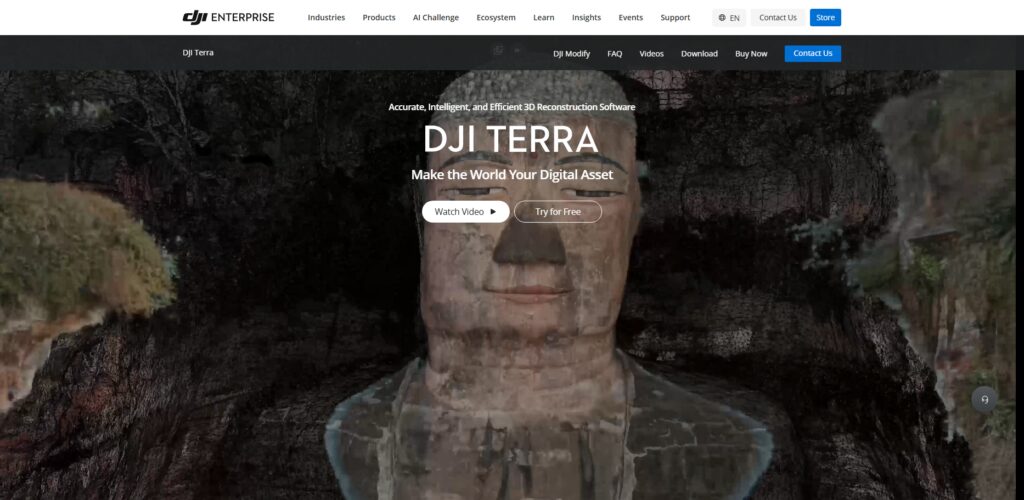
DJI Terra is also one of the top rated Best Drone Mapping Software for Construction Surveys. Terrain models, stockpile volumes, and structural inspections are all highly emissive and can be generated with little ground control.
DJI Terra’s interface, as well as its design, allows companies of all sizes to readily use the software due to its integration with DJI’s enterprise-level hardware.
DJI Terra Features, Pros & Cons
Features
| Feature | Details |
|---|---|
| DJI Drone Integration | Optimized for DJI Enterprise drones. |
| Real-Time Mapping | Creates maps during flight. |
| Mission Planning | Supports waypoint and area missions. |
| 3D Reconstruction | Generates accurate terrain models. |
| RTK Compatibility | Enhances mapping precision. |
Pros
| Pros | Explanation |
|---|---|
| Excellent DJI Compatibility | Works perfectly with DJI hardware. |
| Easy Interface | Quick learning for operators. |
| Fast Processing | Produces maps efficiently. |
| Reliable Survey Accuracy | Supports RTK workflows. |
| Affordable Compared to Enterprise Suites | Competitive pricing. |
Cons
| Cons | Explanation |
|---|---|
| Best with DJI Drones | Limited support for other brands. |
| Windows Only | No native macOS version. |
| Hardware Intensive | Large datasets need capable PCs. |
| Limited Enterprise Integrations | Fewer third-party connections. |
| Advanced Features Cost More | Premium licenses unlock full functionality. |
7. Skycatch
Skycatch specializes in enterprise-level data solutions through drone technology and focuses on construction, mining, and other industrial uses. The software automates drone flights, processes data in the cloud, and offers AI and analytic surveys.
As one of the Best Drone Mapping Softwares for Construction Surveys, Skycatch allows contractors to capture site progress, measure stockpiles, confirm earthworks, and document construction relative to planned designs.
Skycatch uses machine learning technology to automate the interpretation of results and minimizes manual effort on analyses and reports. CAD and BIM integration paired with other project management software allows the aerial data and insights to assist engineers in rational decision-making.
Skycatch Features, Pros & Cons
Features
| Feature | Details |
|---|---|
| AI Analytics | Automates aerial data interpretation. |
| Autonomous Flight | Simplifies repetitive surveys. |
| Survey Mapping | Creates accurate site models. |
| Construction Monitoring | Tracks project progress. |
| Cloud Collaboration | Shares project data securely. |
Pros
| Pros | Explanation |
|---|---|
| AI-Powered Automation | Reduces manual work. |
| Enterprise Reliability | Suitable for large contractors. |
| Accurate Measurements | Professional survey outputs. |
| Efficient Reporting | Saves engineering time. |
| Strong Construction Focus | Optimized for industrial projects. |
Cons
| Cons | Explanation |
|---|---|
| Expensive Platform | Enterprise pricing model. |
| Limited Consumer Availability | Targets large organizations. |
| Internet Required | Cloud-based functionality. |
| Smaller Community | Less online support than competitors. |
| Limited Drone Compatibility | Best with supported enterprise drones. |
8. Maps Made Easy
Maps Made Easy is an inexpensive, cloud-driven, and advanced photogrammetry software. It is good for small construction, surveying, and consulting practices. A major advantage is that users generate processed data (e.g., orthophoto, digital elevation models, etc.) without the need of costly peripheral equipment.
Maps Made Easy is also one of the Best Drone Mapping Softwares for Construction Surveys due to its pay-as-you-go billing model. This pricing model ensures that only users who require drone mapping and surveying pay for the software.
Further, the application interfaces with several drone models and measurement tools, maps, and even fosters engagement with clients through publishable maps. All of these features help construction and surveying professionals better document their work and manage operational costs.
Maps Made Easy Features, Pros & Cons
Features
| Feature | Details |
|---|---|
| Cloud Photogrammetry | Processes aerial imagery online. |
| Orthomosaic Generation | Produces accurate aerial maps. |
| Elevation Models | Creates terrain and contour maps. |
| Interactive Viewer | Shares projects online. |
| Flexible Pricing | Pay-per-map processing available. |
Pros
| Pros | Explanation |
|---|---|
| Budget Friendly | Suitable for small businesses. |
| Easy to Use | Beginner-friendly platform. |
| No Expensive Software License | Flexible payment options. |
| Cloud Accessibility | Access projects anywhere. |
| Good Mapping Quality | Reliable for standard surveys. |
Cons
| Cons | Explanation |
|---|---|
| Fewer Advanced Features | Less capable than enterprise software. |
| Cloud Processing Only | Internet required. |
| Slower Large Project Processing | Huge datasets take longer. |
| Limited Enterprise Tools | Not ideal for major infrastructure. |
| Basic Collaboration | Fewer project management features. |
9. RealityCapture
Striking a remarkable balance between speed and efficiency when handling high-volume image datasets, RealityCapture empowers users with the ability to quickly and easily build 3D models. Building 3D models and meshes, point clouds and terrain models from 3D scans and drone images requires even less effort.

Characterized as one of the Best Drone Mapping Softwares for Construction Surveys, RealityCapture is a popular option among surveyors, infrastructure developers, and construction firms. Thanks to CPU- and GPU-powered performance, users don’t need to sacrifice speed for accuracy.
RealityCapture also offers seamless integration with multiple CAD and BIM packages, as well as construction visualization and management software, to help facilitate the planning, verifying and documenting phases of a construction project.
RealityCapture Features, Pros & Cons
Features
| Feature | Details |
|---|---|
| GPU Acceleration | Extremely fast image processing. |
| Massive Dataset Support | Handles millions of images efficiently. |
| High-Quality Meshes | Produces realistic digital twins. |
| LiDAR Integration | Combines drone and laser scan data. |
| CAD Export | Compatible with engineering software. |
Pros
| Pros | Explanation |
|---|---|
| Exceptional Processing Speed | Faster than many competitors. |
| Excellent Model Quality | Highly realistic 3D outputs. |
| Professional Accuracy | Suitable for engineering projects. |
| Large Project Capability | Processes extensive datasets. |
| Flexible Export Options | Supports multiple formats. |
Cons
| Cons | Explanation |
|---|---|
| Demanding Hardware | Requires powerful GPUs. |
| Learning Curve | Advanced interface for professionals. |
| Paid License | Commercial version can be costly. |
| Windows Focused | Limited platform flexibility. |
| Resource Intensive | Large storage requirements. |
10. Agisoft Metashape
Agisoft Metashape is a versatile yet professional photogrammetry software that strikes a balance between a high level of automation and manual control. For instance, with Agisoft Metashape, surveyors can build GCP-referenced models and control the density of the resultant point clouds and even the texture of the 3D models.
As one of the Best Drone Mapping Softwares for Construction Surveys, Agisoft Metashape is a favored option of surveyors and construction professionals as a result of its features and flexibility to offer RTK and PPK workflows, as well as Python automation, and GIS and CAD interoperability.
Agisoft Metashape Features, Pros & Cons
Features
| Feature | Details |
|---|---|
| Professional Photogrammetry | Creates accurate maps and models. |
| RTK/PPK Support | Improves geospatial precision. |
| Dense Point Clouds | Generates detailed terrain data. |
| Python Automation | Supports workflow scripting. |
| GIS & CAD Compatibility | Exports to multiple professional formats. |
Pros
| Pros | Explanation |
|---|---|
| Highly Accurate Results | Trusted by survey professionals. |
| Flexible Workflow | Manual and automated processing available. |
| Strong Automation | Python scripting enhances productivity. |
| Broad Industry Use | Suitable for surveying, mining, and archaeology. |
| One-Time License Available | No mandatory subscription. |
Cons
| Cons | Explanation |
|---|---|
| Complex for Beginners | Requires technical knowledge. |
| Slow on Older Computers | Large projects demand powerful hardware. |
| Professional Version Is Costly | Advanced edition has a higher price. |
| Manual Optimization Needed | Best results require experienced users. |
| Limited Built-In Cloud Collaboration | Focuses mainly on desktop processing. |
Conclusion
Consider your project needs to find the best drone mapping software for construction surveying. Budget, workflow, and project size and scope all come into play. When considering software for construction surveying, understand what you are mapping. DroneDeploy and Pix4D are fantastic cloud-infrastructure mappers and photogrammetrists.
DJI Terra integrates your workflow with their enterprise drone line. Bentley ContextCapture and RealityCapture are great options for digital twins. Propeller Aero is your best bet for earthworks and volumetric analysis.
For GIS environments, Esri Site Scan is the golden child. Agisoft Metashape puts processing control back in your court. Software survey solutions for construction companies target: project cost and construction workflow and site safety; survey accuracy; and collaboration and design decisions.
FAQ
What is drone mapping software for construction surveys?
Drone mapping software processes aerial images captured by drones into accurate orthomosaic maps, 3D models, point clouds, digital elevation models (DEMs), and terrain maps. Construction companies use these outputs for site planning, progress monitoring, earthwork calculations, and project documentation.
Which is the best drone mapping software for commercial construction?
Some of the top options include DroneDeploy, Pix4D, Propeller Aero, Esri Site Scan for ArcGIS, Bentley ContextCapture, DJI Terra, Skycatch, Maps Made Easy, RealityCapture, and Agisoft Metashape. The best choice depends on your project requirements, budget, and preferred workflow.
How accurate is drone mapping for construction surveying?
Modern drone mapping software can achieve centimeter-level accuracy when used with RTK or PPK drones and properly placed ground control points (GCPs). This level of precision is suitable for most commercial construction and engineering projects.
Can drone mapping software calculate earthwork volumes?
Yes. Most professional drone mapping platforms offer volumetric measurement tools that calculate stockpile volumes, cut-and-fill quantities, excavation progress, and material usage, helping contractors improve project planning and cost estimation.