Editing calendars and answering emails has become the biggest drain on time in the workday due to the constant barrage of meetings and the digital professional world’s high pace. The best AI virtual assistants are game-changers in Calendar and Email Management. By arranging email and automating time management, they are making time management less of a burden and improving it.
The accuracy of time management and efficiency of the workflow is improved by the Best AI Virtual Assistants For Calendar and Email Management with the use of advanced algorithms to eliminate tedious time drains. This gives time back to management and helps with more pressing tasks and strategic planning.
What Are AI Virtual Assistants for Productivity?
AI productivity assistants offer AI-powered tools that help users efficiently manage emails, calendars, meetings, reminders, and workflows. AI and automation help manage time better while reducing the amount of manual work required.
This virtual assistant will schedule a meeting, prioritize an important email, send a reminder, and even recommend the best time to work based on the user.

These tools integrate Google Calendar, Outlook, and other email and messaging apps to minimize time spent on planning. With AI productivity assistants, businesses and individuals can focus on innovative and critical work.
Key Points & Best AI Virtual Assistants For Calendar and Email Management
| AI Virtual Assistant | Explanation |
|---|---|
| Google Calendar + Assistant | Automatically schedules meetings, syncs emails, and organizes calendar events intelligently across devices |
| Microsoft Copilot (Outlook) | Summarizes emails, drafts replies, and schedules meetings using intelligent AI assistance tools |
| Apple Siri | Uses voice commands to manage emails, reminders, and calendar events seamlessly integration |
| Calendly | Automates scheduling by letting others book meetings based on availability preferences system |
| Reclaim AI | Optimizes calendar by automatically blocking focus time and rescheduling tasks dynamically smartly |
| Motion AI | Plans entire day using AI that schedules tasks and deadlines intelligently automatically |
| Clockwise AI | Finds best meeting times and creates uninterrupted focus blocks for teams efficiently |
| Fantastical | Parses natural language to quickly create calendar events and reminders instantly smartly |
| Zoho Zia | Predicts meetings, analyzes emails, and suggests smart responses for users automatically efficiently |
| Notion AI | Generates summaries, organizes tasks, and manages planning within workspace intelligently for users |
10 Best AI Virtual Assistants For Calendar and Email Management
1. Google Calendar + Google Assistant
The combination of Google Calendar and Google Assistant offers users automated management of their schedules using voice commands and smart reminders or suggestions for events based on AI. Automatic entries for emails that contain dates or meetings as additional calendar events is a time-saving feature of Google Calendar.
While email and schedule management happen seamlessly within Gmail, Calendar pulls events that include flights, meetings, or deadlines. Users can easily optimize their time with Google Assistant’s feature of saying “add a meeting at 5 PM”, or simply by asking “what’s my schedule today”.
Key Features
- Voice scheduling and reminders through Assistant.
- Automatic meeting-related events from emails.
- Notifications with information pertinent to your meeting.
- All devices sync your calendar in real-time.
- Your meeting travel time and schedules are generated with AI.
Best For
- Helping busy professionals manage their meetings.
- All Gmail and Android users.
- Scheduling using your voice.
- Users want help to better structure their time and tasks.
2. Microsoft Copilot
Microsoft Copilot is an AI assistant that exists within Outlook and Microsoft 365 apps that helps with email, scheduling, and meeting management via automation of sorting emails and writing replies. Copilot summarizes long email threads within a conversation structure and points out key decisions.
Copilot books meetings with times prioritized and available, and is also helpful in writing up a draft of a meeting’s necessity, along with integrations and feature automation on Microsoft Teams and Outlook.
Key Features
- Drafting emails and suggesting replies in Outlook.
- Summarizes meetings after an email thread.
- Offers and makes changes to your schedule for the day.
- Works with Teams and all Office apps.
- Creates tasks from emails.
Best For
- Corporate employees on Microsoft 365.
- Emails dominate the work communication.
- Collaboration and meetings with the team.
- Improving enterprise productivity.
3. Apple Siri
Calendar events and emails on a range of Apple devices, such as the iPhone, iPad, and Mac, can be scheduled by voice command management using Siri. Users can now create reminders, schedule meetings, or check their appointments without the need to open each individual app.
Siri provides smart suggestions that aid in their productivity, such as reminders for events and travel alerts, as well as notifications and email summaries. Siri is a great option for hands-free productivity between Apple devices.
Key Features
- Users can create events in the calendar and control tasks through voice.
- Reads your emails and helps you draft replies.
- Sends you reminders and alerts based on your task completion.
- Apps on iOS and macOS are integrated with Siri.
- Can suggest time for you to schedule and plan based on your location.
Best For
- Users with Apple products like the iPhone, Mac, and iPad.
- Performing productivity tasks without lag.
- Scheduling your tasks and reminders seamlessly.
- Managing your calendar from anywhere.
4. Calendly
Calendly has provisions to offer booking for a conference while at the same time, optimally eliminating the inconvenience to potential participants who have to engage in back-and-forth emails. Calendly provides users with the ability to simply post a link that outlines slots that other people can choose based on the current state of completions in their calendar.
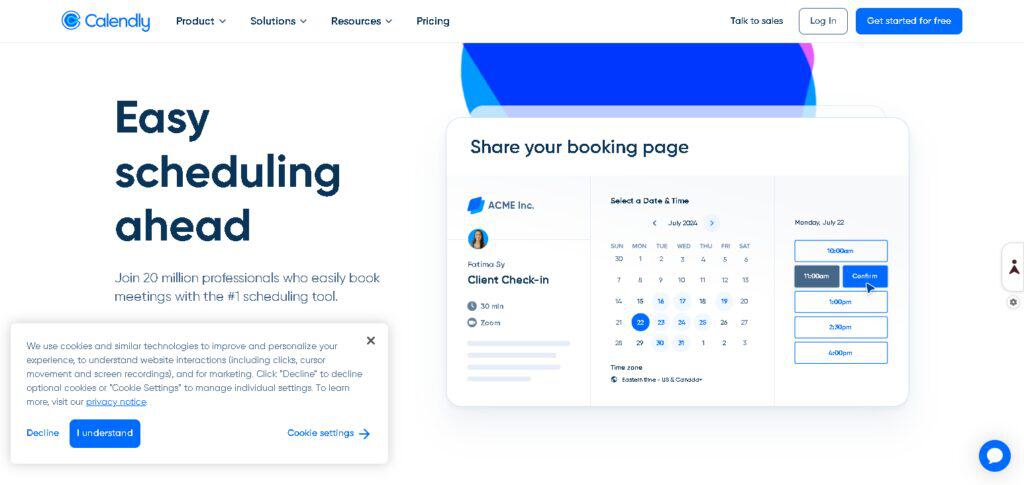
It integrates with Google Calendar, Outlook, and Apple Calendar to avoid schedule conflicts and make hassle-free updates to calendars. This tool is often used to schedule interviews, client meetings, and business appointments.
Key Features
- Elimination of email chains for scheduling meetings.
- Booking links can be customized.
- Links with Google, Outlook, and Apple Calendar.
- Automated meeting scheduling through calendar sync.
- Buffer time and availability control
Best For
- Freelancers and consultants
- Sales and client meetings
- Interview scheduling
- Companies managing external appointments
5. Reclaim AI
Reclaim AI employs artificial intelligence to schedule tasks, meetings, and even habits within your calendar. This tool helps strike a balance between personal and work obligations, and as a result, it maximizes your productivity.
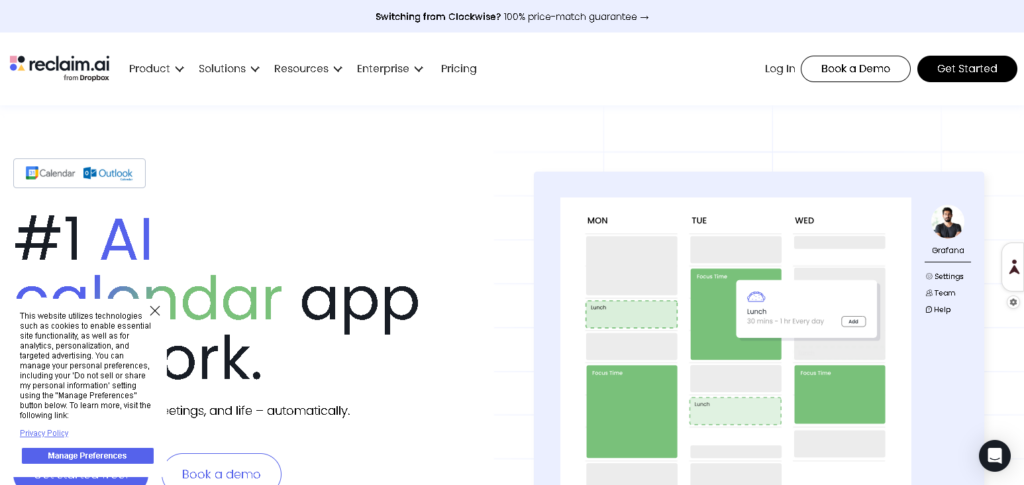
Reclaim also helps immensely by shifting your schedule when new meetings are added and giving time blocks to tasks that are important. This feature makes Reclaim ideal for time protection and balancing workloads.
Key Features
- Task and habit scheduling with AI
- Time blocking for work priorities
- Instant rescheduling with time conflicts
- Work-life balance with AI
- Google Workspace calendar integration
Best For
- Professionals concerned with productivity
- Task-ridden job roles
- Remote employees and teams
- Time blocking and focus control
6. Motion AI
Motion AI integrates artificial intelligence to plan your entire day and even schedule tasks and meetings with all the deadlines. What’s even better is it reshapes your calendar instantly to accommodate the reshuffled priorities.
Motion is a great productivity tool to help professionals keep track of deadlines, and it is even better that it doesn’t require you to plan your deadlines manually. Motion integrates an advanced tasking system with intelligent calendar integration.
Key Features
- Auto-scheduling meetings and tasks using AI
- Auto reorganization of the calendar
- Deadline prioritization and tracking
- Integrated calendar and task system
- Productivity of users is enhanced in real time
Best For
- Project managers
- Entrepreneurs and startups
- Professionals who work with multiple tasks
- Workflows that are driven by deadlines
7. Clockwise AI
The main feature of Clockwise AI is the ability to manage an entire team’s calendar by eliminating scheduling conflicts in collaborative work environments by automating meeting placements, and generating focus blocks.

It leverages Google Calendar to manage meetings smartly, enforce focus time, and improve productivity by reducing schedule fragmentation.
Key Features
- Meeting time rescheduling with AI
- Focus time generated automatically
- Optimization of team’s calendar
- Offering scheduling suggestions
- Integration of Google Calendar
Best For
- Teams who have multiple meetings
- Workplaces that are remote or hybrid
- Optimization of deep work
- Organizations that have a focus on productivity
8. Fantastical
Fantastical lets you create events quickly and intuitively, even while integrating all your reminders, the weather, and meeting links within the palette of the calendar, with all the dates to give you a clean and seamless interface for calendar management.

Fantastical uses natural language processing so you can say things like “lunch with John tomorrow at 2 PM,” and Apple users love the AI-powered feature that makes quick event creation extremely user-friendly.
Key Features
- Natural phrasing for creating events (“lunch tomorrow at 2”)
- Clean and simple calendar UI
- Integration of weather and meeting tracking
- Support for multiple calendars
- Learned reminders and notifications
Best For
- Apple users who require advanced calendar management
- Professionals with multiple appointments and calendars to consolidate
- Scheduling using natural language
- Increased personal productivity
9. Zoho Zia
AI assistant Zoho Zia, available within Zoho applications, consolidates email, calendar, and productivity data. Zia can also evaluate email behavior to identify better scheduling techniques
Aside from smart alerts, it can also recommend meetings and do automated follow-ups. Zia can be especially helpful to companies using Zoho’s partner offers.
Key Features
- Email analysis with AI for prediction
- AI-assisted scheduling
- Calendar + CRM integration
- Follow-ups automation
- Analysis of productivity
Best For
- Users of Zoho applications
- Sales and customer service
- Workflow automation for businesses
- Making decisions with data
10. Notion AI
Those who utilize Notion workspace for organizing their productivity can benefit from the calendar and email workflow refinement tools from Notion AI.
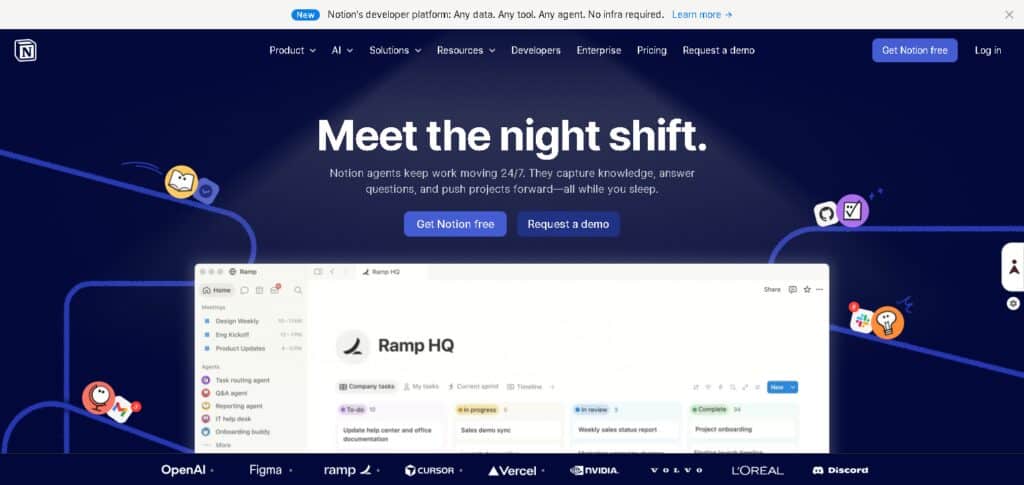
It can even generate in-system email agendas, as well as workflow lists and follow-ups. It can help those who need to unify their documentation and project planning.
Key Features
- Automatic note-taking and summarization
- Task and calendar organization in Notion
- Automatic agendas and workflows
- Email converted to tasks
- Management of productivity in one place
Best For
- Creators and students
- Workers with knowledge
- Planning and documenting projects
- Users of a productivity workspace
Why Businesses & Professionals Need AI Scheduling Tools?
Efficiency Driven Automation
Manual scheduling and rescheduling of meetings can occupy hours of a day. Now, scheduling tools allow professionals to concentrate on work that matters and add more value to the organization.
No More Scheduling Conflicts
A scheduling tool can read multiple calendars and see all meeting invites. Scheduling tools can see the best available times for meetings especially where there may be conflicts in calendars, preventing multiple meeting invites for the same time.
Convert Your Emails to Meetings in No Time
Scheduling tools replace highly repetitive email exchanges that can be frustrating. It can read your email, identify if there is a meeting request and automate the entry of an event to your calendar.
Greater Focus and Productivity
With scheduling tools managing the scheduling of meetings and related tasks, professionals can spend the time that they value the most for other work.
Best Use of Tools and Meeting Scheduling
AI tools can read and understand the context of a meeting and determine the placement of the meeting in the queue.
Improves Scheduling and Coordination
AI scheduling tools provide the same calendars for all members of the teams helping manage work across the business.
Always-On Scheduling Assistant
AI tools can read and respond to meeting scheduling requests at times that may not even be during working hours, improving the responsiveness of the organization.
Best Use Cases of AI Calendar & Email Assistants
Scheduling Meetings
An internal and external meeting scheduling solution involves the automation of communication by scanning multiple calendars and optimizing meeting turnarounds.
Email Management
Email assistants sort and prioritize emails, helping employees focus on important messages.
Freelancer Client Management
Freelancers use AI assistants to schedule client calls by sending booking links and managing freelance project deadlines seamlessly.
Deadline Management
Calendar AI assistants track deadlines, automate reminders, and move project tasks forward.
Sales Outreach
Sales staff use scheduling software for follow-up meetings and for responding to leads and managing sales interactions.
Remote Team Coordination
AI software helps distributed teams meet and collaborate.
Productivity Management
AI personal assistants help users design a personal schedule, set reminders, and organize work and personal appointments for improved work balance and productivity.
Future of AI in Calendar & Email Management
Completely Automated Calendar Management
Artificial intelligence will take charge of the entire calendar management, with the capability of booking, rescheduling, and maintaining meeting efficiency all without human input.
Forecasting Email Responses
Forthcoming AI will discern which emails require action, compose response drafts, and take care of regular conversations.
Thorough Integration in the Workplace
AI assistants will be interconnected with all work tools such as CRM, project management software, and communication.
Contextually Aware Assistants
AI will determine the context including but not limited to the time constraint, physical location, and current user actions in order to make the best decision for scheduling at that given moment.
No More Manual Calendar Managing Done
With AI’s continuous management of work schedules, users will not need to manually alter calendar updates.
Improved Voice and Conversational Commands
The new style of scheduling and email management will be entirely voice and conversation-based, thus allowing for quick and seamless natural interactions.
AI Agents for Workflow Automation
AI will in the future act as an agent to manage all emails, meetings, reminders, and tasks thus automating the entire productivity system.
Conclusion
AI virtual assistants form the backbone of contemporary productivity systems that have reimagined how working professionals deal with scheduling and email correspondence. They reduce the manual burden of working and the problem of scheduling conflicts, and improve the efficiency of individual and business workflows.
By analyzing the data and the use cases, we can conclude that AI-based scheduling tools save time and improve decision-making and communication. This is achieved by automating tasks such as setting up meetings, sorting emails, and sending reminders. An organization sees the benefits of better alignment of the team, while individuals have more uninterrupted time to focus and an improved work-life balance.
In summary, there is no option to adopt AI calendar and email assistants, nor should there be. The AI arms race is leaning toward fully automated schedules and anticipatory communications, offering a competitive edge of even greater necessity.
FAQ
What are AI virtual assistants for calendar and email management?
AI virtual assistants are smart tools that help users automate scheduling, manage emails, and organize calendars. They reduce manual work by using artificial intelligence to handle tasks like meeting booking, reminders, and email sorting.
How do AI scheduling tools improve productivity?
They improve productivity by automating repetitive tasks such as setting meetings, avoiding scheduling conflicts, prioritizing emails, and organizing daily tasks, allowing users to focus on important work.
Which is the best AI tool for calendar management?
Popular options include Google Calendar + Assistant, Motion AI, and Reclaim AI. The best tool depends on user needs like personal use, business workflows, or team collaboration.
Can AI assistants manage emails automatically?
Yes, tools like Microsoft Copilot and Zoho Zia can analyze emails, suggest replies, prioritize important messages, and even automate responses in some cases.
Are AI calendar tools useful for businesses?
Yes, businesses use them for team scheduling, client meetings, project planning, and reducing communication delays, which improves overall efficiency and coordination.