

This article focuses on the top OCR APIs for Document Processing. These APIs assist organizations in streamlining the extraction of text and the digitization of documents in order to maximize the effectiveness of workflow processes.
OCR APIs rely on artificial intelligence and machine learning to reformat scanned files, images, or PDFs into a digitally structured format. We analyze the characteristics, advantages, and applications of these solutions and see how they address contemporary document automation challenges.
What Are OCR APIs?
OCR APIs enable you to embed optical character recognition in your solutions. With an OCR API, you can recognize features in the image of a scanned document, convert the document to text, and obtain the text in a format that a computer can manipulate.
OCR APIs can speed up the workflow for documents that contain a lot of text and help bring data to your solutions from forms, tables, and structured data.

The documents that can be processed using the OCR APIs can be in a variety of formats ranging from image formats to PDFs. Integrating the OCR API in an organization’s solution can help the organization convert documents that are not digital into a format that is usable and searchable.
How Do OCR APIs Work?
Uploads and Prepping Images
OCR APIs initiate the process by having users upload digitized files through various applications or software. These files can be scanned documents, images, PDF files, or even files containing digitized handwritten documents. The API will prep files by removing background noise, adjusting the image file to balance contrast, and sharpening the image to make the text more discernible.
Document Image Comprehension
Once the image file is prepped, the OCR API will begin to scan the document to image to comprehend its various text components (i.e. letters, words, text boxes, and paragraphs). Various AI algorithms will assist the OCR API to comprehend the document image by locating the text regions and determining the document image structure.
Text Recognition
Modern OCR APIs will employ various forms of deep learning and machine learning models to assist in the recognition of numbers, symbols, letters, and even various forms of handwriting. When an image is digitized, these advanced models use patterns to fulfill the various conversions required.
Comprehension of Document Structures
The OCR APIs will analyze the document image structure to comprehend the various relationships between headings and text boxes.
Recognition and Classification
After text is comprehended, OCR APIs begin to pull various forms of text, such as names, dates, numbers, and addresses. Based on the text that is pulled, AOI powered OCR solutions will also classify the documents.
Language Recognition and Translation Support
Most modern OCR APIs support a range of different languages and writing systems. This gives global businesses the opportunity to work with international clients without needing multiple OCR tools for various languages.
Data Conversion and API Response
Once the OCR tools have completed the document processing, the relevant data extracted is typically converted to a machine-readable format (like JSON, XML, CSV, or simple text) and returned to the application from which the API was called. This data can be used to automate tasks, populate a database, facilitate analytics, and support business functions.
Integration With Business Applications
As OCR APIs can be integrated with a range of enterprise software (like CRMs, accounting software, and document management systems), this enables the automation of a range of business processes like the automated processing of invoices, customer verification, digital archiving, and managing compliance.
How to Choose the Best OCR API for Your Business?
Assess OCR Precision
Select OCR APIs that demonstrate a high level of precision in text recognition of complex documents, especially those containing handwriting and low-quality scans, as well as documents where text is formatted in different styles. Achieving accurate OCR minimizes time spent on manual verification and corrections, enhances the overall reliability of data, and provides better outcomes for automation.
Assess the Variety of Document Types
Select an OCR API that offers the solution to process a wide variety of documents including but not limited to, PDFs, images, scanned files, invoices and receipts, contracts and forms, as well as identity documents. An API with this capability is able to provide an enterprise the solution it requires to address the variety of document processing needs.
Assess AI and ML Features
OCR APIs that are equipped with AI and ML capabilities are able to process documents and understand their layout, tables, handwriting, and contextual elements. Selecting an AI-enabled OCR system enhances the accuracy of data extraction and will allow the enterprise to automate more complex tasks.
Assess Multilingual Capabilities
For enterprises that operate in multiple countries, selecting an OCR API that is multilingual is essential. This capability will allow the enterprise to process documents written in different languages and will eliminate the need for additional tools.
Assess API Capabilities
A solid OCR API should offer a solution that is easy to integrate with the business’s existing applications, websites, mobile apps, and enterprise and customer service automation solutions. Prior to implementing the API, assess the documentation, available SDK, and support for developers.
Assess Speed and Scalability
The desired OCR API should process the volume of documents your business requires and should be scalable. The processing speed of the API is especially important for businesses that are aiming to automate document processing and verification in parallel to OCR.
Review Security and Compliance Features
Consider the security of OCR APIs when processing sensitive information. Industries like finance and healthcare have an increased need for security features. Look for features like encryption, access controls, and compliance certificates.
Consider Pricing and Cost Efficiency
Consider free, pay-per-use, and enterprise OCR APIs. The optimal choice will be the one that has the features you want and stays within the budget you set for the document processing you expect.
Check Data Extraction Features
Look for APIs that offer key-value pairing, form and document analysis, and table recognition. These features will help streamline automation for complex business processes.
Test Performance Before Implementation
Testing an API with real business documents will give you a clearer picture of its accuracy, the time it takes to process a document, the quality of the output, and how well it integrates with other software.
Industries Using OCR APIs in 2026
| Industry | How OCR APIs Are Used | Benefits of Using OCR APIs |
|---|---|---|
| Banking and Finance | OCR APIs are used to process bank statements, invoices, loan applications, identity documents, and financial reports. They automatically extract customer and transaction data from documents. | Faster document verification, reduced manual data entry, improved accuracy, fraud detection, and faster financial operations. |
| Healthcare | Healthcare organizations use OCR APIs to digitize patient records, medical reports, prescriptions, insurance documents, and laboratory results. | Better patient data management, quick access to medical information, reduced paperwork, and improved healthcare workflow efficiency. |
| Insurance | Insurance companies use OCR APIs to process claim forms, policy documents, damage reports, and customer information documents. | Faster claim processing, automated document verification, reduced processing costs, and improved customer experience. |
| Legal Services | Law firms use OCR APIs to analyze contracts, court documents, legal agreements, case files, and compliance documents. | Easy document search, faster legal research, automated data extraction, and improved document organization. |
| Retail and E-commerce | Retail businesses use OCR APIs to process invoices, receipts, product labels, inventory documents, and customer orders. | Automated inventory management, faster billing processes, improved order accuracy, and better business insights. |
| Education | Schools and universities use OCR APIs to digitize books, exam papers, certificates, student records, and research documents. | Digital learning resources, automated grading support, easier record management, and improved accessibility of educational content. |
| Government Services | Government departments use OCR APIs for processing applications, identity documents, forms, certificates, and public records. | Faster citizen services, reduced paperwork, improved data management, and efficient digital transformation. |
| Logistics and Supply Chain | Logistics companies use OCR APIs to extract information from shipping labels, invoices, delivery documents, and customs paperwork. | Faster shipment processing, fewer errors, improved tracking, and automated supply chain operations. |
| Real Estate | Real estate companies use OCR APIs to process property documents, agreements, contracts, and registration papers. | Faster document review, automated property data extraction, and improved transaction management. |
| Travel and Hospitality | Travel companies and hotels use OCR APIs for passport scanning, booking documents, customer identification, and verification processes. | Faster customer onboarding, improved security checks, and smoother guest experiences. |
| Accounting and Tax Services | Accounting firms use OCR APIs to extract data from receipts, invoices, tax forms, and financial statements. | Automated bookkeeping, reduced errors, faster tax preparation, and improved financial reporting. |
| Human Resources (HR) | HR departments use OCR APIs to process resumes, employee documents, certificates, and application forms. | Faster recruitment, automated candidate screening, and efficient employee record management. |
| Manufacturing | Manufacturers use OCR APIs to process quality reports, purchase orders, inventory records, and equipment documents. | Improved production tracking, reduced manual work, and better operational efficiency. |
| Telecommunications | Telecom companies use OCR APIs for customer forms, identity verification documents, and service applications. | Faster customer onboarding, automated verification, and improved service delivery. |
| Research and Data Management | Research organizations use OCR APIs to digitize papers, archives, historical records, and scientific documents. | Easier information retrieval, searchable digital archives, and improved data analysis capabilities. |
Best OCR APIs for Document Processing List
- Microsoft Azure Computer Vision API
- Amazon Textract API
- IBM Watson Discovery OCR API
- Adobe PDF Extract API
- ABBYY FineReader OCR API
- Tesseract OCR API
- Nanonets OCR API
- Rossum OCR API
- Docsumo OCR API
- Klippa OCR API
10 Best OCR APIs for Document Processing in 2026
1. Microsoft Azure Computer Vision API
Azure OCR API for Document Processing – Microsoft Azure Computer Vision API offers a robust cloud-based OCR solution. Capturing printed and handwritten text is possible for Assessments, Scanned documents, Invoices, Receipts, and Business documents.
Leveraging the power of AI and ML, this OCR solution offers accuracy of text recognition, layout analysis, and understanding of documents. Multiple languages are supported, along with the identification of Tables, Paragraphs, Notes, and key-value pairs.
Automating Data entry, Document Management, and Workflow Automation are typical uses by businesses. Combined with other Microsoft Azure Services, this API offers a secure, scalable, reliable, and enterprise-ready OCR solution for document processing.
Microsoft Azure Computer Vision API — Why It Matters
| Point | Details |
|---|---|
| AI-Powered Text Recognition | Microsoft Azure Computer Vision API matters because it uses advanced AI and machine learning models to accurately recognize printed and handwritten text from images, scanned documents, and digital files. |
| Automated Document Processing | It helps businesses automate repetitive document tasks such as data extraction, invoice processing, and record management, reducing manual effort and improving productivity. |
| Handwriting Recognition | The API can understand handwritten notes and forms, making it useful for industries that still manage paper-based documents and customer submissions. |
| Multilingual Support | It supports multiple languages, allowing global businesses to process documents from different regions without requiring separate OCR solutions. |
| Enterprise Security | Built on Microsoft Azure infrastructure, it provides strong security, compliance features, and scalability for organizations handling sensitive documents. |
2. Amazon Textract API
Best OCR APIs for Document Processing – Amazon Textract API enables organizations to streamlines the extraction of key information from scanned documents (including invoices, contracts, and application forms) without the need for any manual effort.
Amazon Textract, a service from Amazon Web Services, utilizes deep learning capabilities to discern document layouts and recognize salient information. Traditional OCR tools fall short in the ability to identify the relationships among various data fields and their corresponding values. This ability affords Amazon Textract a distinct advantage in the automation of document processing.
Textract offers a seamless integration with other services from AWS. This integration affords Amazon Textract a robust security and enterprise-level scale and performance, and a full complement of features from automation and machine learning to document processing for various industries including banking, healthcare, insurance, and government.
Amazon Textract API — Why It Matters
| Point | Details |
|---|---|
| Intelligent Data Extraction | Amazon Textract matters because it can identify text, tables, forms, and relationships between data fields, making document processing more intelligent than traditional OCR. |
| Business Automation | It helps companies automate invoices, receipts, loan documents, and financial records, reducing processing time and operational costs. |
| High Scalability | As an AWS service, Textract can handle large document volumes, making it suitable for enterprises with growing data processing needs. |
| Form and Table Analysis | It accurately extracts structured information from complex documents, helping businesses convert unorganized files into usable data. |
| Secure Cloud Processing | Amazon Textract provides secure document analysis through AWS infrastructure, supporting industries with strict data protection requirements. |
3. IBM Watson Discovery OCR API
The Best OCR APIs for Document Processing – With the combination of OCR and AI for intelligent search and data extraction, the IBM Watson Discovery OCR API streamlines smart document analysis.
The API enables businesses to transform disorganized documents to useful, searchable business insights. IBM Watson Discovery processes PDFs, images, and scanned documents. It also provides structure to text and content patterns, as well as metadata.
IBM Watson Discovery is preferred for legal documents, research documents, customer documents, and documents pertaining to enterprise knowledge. This API provides companies advanced document insights, and supports data-driven decisions with the automation of document comprehension and the extraction of information.
IBM Watson Discovery OCR API — Why It Matters
| Point | Details |
|---|---|
| Advanced Document Understanding | IBM Watson Discovery OCR API matters because it combines OCR with AI-powered analysis to understand and organize information from complex documents. |
| Enterprise Knowledge Management | It helps organizations search, analyze, and discover valuable insights from large collections of documents. |
| Natural Language Processing | The API uses AI technologies to understand document meaning beyond simple text extraction, improving information discovery. |
| Unstructured Data Processing | It converts unstructured documents into searchable digital content, helping businesses improve decision-making. |
| Industry Applications | It is valuable for legal, healthcare, research, and enterprise sectors that manage large amounts of document information. |
4. Adobe PDF Extract API
Best OCR APIs for Document Processing – Adobe PDF Extract API helps to easily extract text, images and structures contained within PDF files with maximum accuracy. Developers are provided with the means to accurately convert complex PDF documents into JSON.
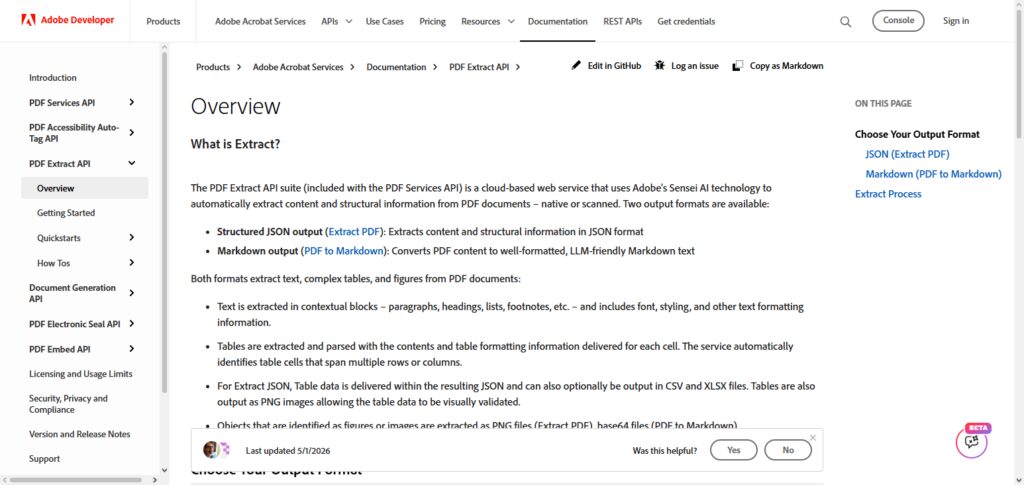
The API helps maintain the headings, paragraphs and tables contained within the PDFs. This API helps in the automation of document and content management. Adobe PDF Extract API helps in the processing of contracts, reports, financial documents and helps to process digital document archives.
The API works with maximum accuracy and integrates with Adobe’s document infrastructure. This API is considered reliable and is recommended for organizations that handle a lot of PDF-based content.
Adobe PDF Extract API — Why It Matters
| Point | Details |
|---|---|
| Accurate PDF Data Extraction | Adobe PDF Extract API matters because it can extract text, tables, images, and formatting details from complex PDF documents. |
| Preserves Document Structure | It maintains headings, paragraphs, tables, and layouts, ensuring extracted data remains organized and usable. |
| Workflow Automation | Businesses can automate PDF-based processes such as contract analysis, reporting, and document archiving. |
| Developer-Friendly Integration | The API allows developers to easily integrate PDF extraction features into business applications and platforms. |
| Better Digital Document Management | It helps organizations convert static PDFs into structured digital information for easier searching and analysis. |
5. ABBYY FineReader OCR API
Best OCR APIs for Document Processing – ABBYY FineReader OCR API provides sophisticated optical character recognition technology to transform scanned documents, images, and PDFs to editable and searchable formats.
ABBYY is widely known for its high accuracy in recognizing complex layouts and multiple languages as well as handwriting and structured documents. The advanced API features automated document classification and data extraction enhancements, and business process automation as well.
It is adopted in finance, healthcare, legal and government sectors for accurate document conversion. ABBYY advanced artificial intelligence and OCR capabilities give its users enhancements and improvements to their manual data entry and workflows of digital document automation.
ABBYY FineReader OCR API — Why It Matters
| Point | Details |
|---|---|
| High OCR Accuracy | ABBYY FineReader OCR API matters because it provides highly accurate text recognition for scanned documents, images, and complex layouts. |
| Document Digitization | It helps businesses convert paper documents into searchable and editable digital formats. |
| Multiple Language Support | ABBYY supports various languages, making it suitable for international organizations. |
| Layout Recognition | It understands tables, columns, formatting, and document structures for better extraction results. |
| Business Process Automation | It reduces manual data entry and improves efficiency in finance, healthcare, legal, and government workflows. |
6. Tesseract OCR API
Best OCR APIs for Document Processing: Tesseract OCR API is an open source optical character recognition (OCR) engine that is used to extract text from images and scanned documents. It supports 100+ languages.
With Tesseract, developers can build solutions for their OCR needs. Tesseract is also favored by developers because it is free, lightweight, and easy to work with. With Tesseract, printed text can be recognized, image files can be processed, and documents can be converted to machine readable files.
Tesseract does take some time and effort to set up compared to OCR services that are offered in the cloud, it is on the top of the list of most frequently used solutions for document processing by bootstrapped startups, researchers, and enterprises.
Tesseract OCR API — Why It Matters
| Point | Details |
|---|---|
| Open-Source OCR Solution | Tesseract OCR API matters because it provides a free and customizable OCR engine for developers and businesses. |
| Cost-Effective Processing | It allows organizations to implement OCR capabilities without expensive subscription costs. |
| Developer Flexibility | Developers can customize and modify Tesseract according to specific project requirements. |
| Multi-Language Recognition | It supports many languages, making it useful for global document processing applications. |
| Community Support | Its large developer community provides resources, improvements, and integration possibilities. |
7. Nanonets OCR API
Best OCR APIs for Document Processing – The Nanonets OCR API employs AI and deep learning to streamline the extraction of data from invoices, receipts, purchase orders, ID cards, and various business forms.
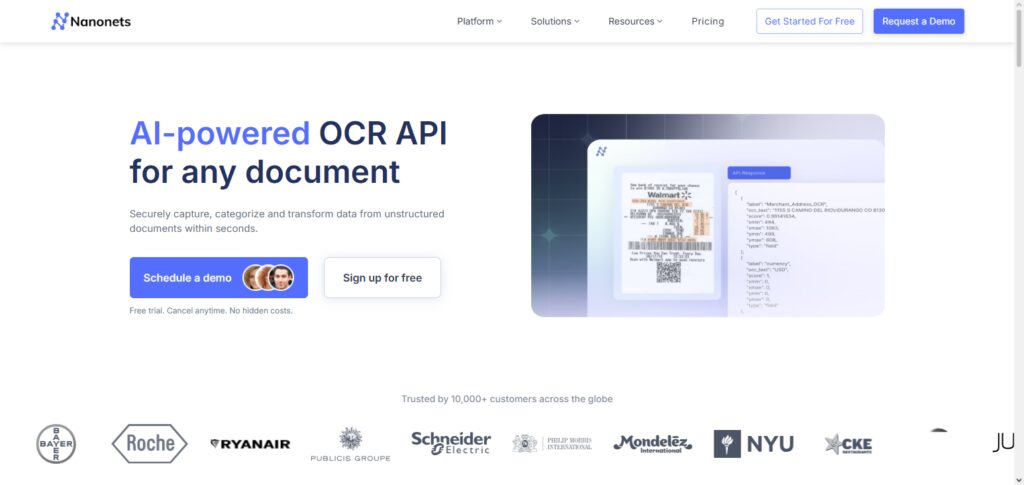
Companies are able to design custom OCR models with little programming knowledge. Nanonets possesses the ability to identify complex document structures and fields. Nanonets even has the ability to learn, meaning their models improve the more that they are used.
The API is capable of being integrated with various business applications and automation platforms, allowing it to be utilized in the finance, logistics, accounting, and many other operational workflows. The user-friendly nature of Nanonets enables companies to decrease the time spent manually processing documents and increase the efficiency of document processing.
Nanonets OCR API — Why It Matters
| Point | Details |
|---|---|
| AI-Based Data Extraction | Nanonets OCR API matters because it uses machine learning to extract accurate information from complex business documents. |
| Custom OCR Models | Businesses can create customized OCR models for specific document types and workflows. |
| Reduced Manual Work | It automates invoice, receipt, and form processing, helping teams save time and resources. |
| Easy Integration | Nanonets can connect with business applications to improve automation across different departments. |
| Continuous Learning | Its AI models improve accuracy by learning from processed documents and user feedback. |
8. Rossum OCR API
Best OCR APIs to Process Documents – Rossum Rossum OCR API is an AI-based document processing platform that automates intelligent data capture. It quickly extracts the relevant data from invoices, receipts, purchase orders, and other transactional documents with little manual setup.
By leveraging cognitive AI, Rossum understands the context of a document instead of performing character recognition. The API enables organizations to automate their accounts payable to eliminate manual data entry and accelerate the processing of corporate financial transactions.
Rossum integrates with enterprise systems and offers validation workflows, data verification, and document classification. Rossum is ideal for companies that want to eliminate repetitive document processing.
Rossum OCR API — Why It Matters
| Point | Details |
|---|---|
| Intelligent Document Capture | Rossum OCR API matters because it understands document context instead of only recognizing characters. |
| Invoice Automation | It helps businesses automate accounts payable processes by extracting invoice details automatically. |
| Reduced Human Errors | AI-powered extraction reduces mistakes caused by manual data entry. |
| Faster Business Operations | Rossum improves processing speed for companies handling large numbers of documents. |
| Enterprise Integration | It connects with existing business systems to create automated document workflows. |
9. Docsumo OCR API
Best OCR APIs for Document Processing – Docsumo OCR API offers smart solutions that process documents and extract organized data from a range of business documents, such as invoices, bank statements, forms of insurance, and identity documents.
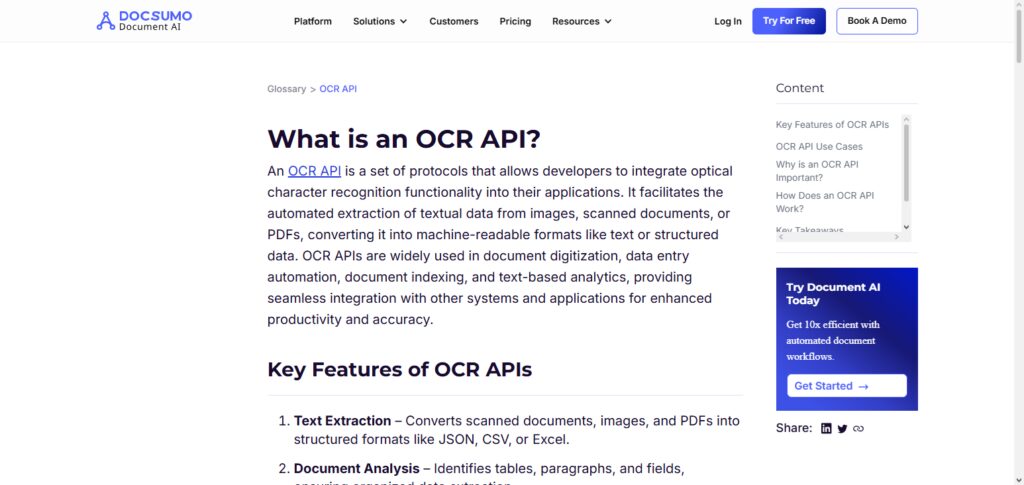
The API combines OCR and AI data extraction to recognize critical fields with great accuracy. Docsumo enables businesses to automate their verification systems, reduce manual reviews, and enhance the overall efficiency of their operations.
It offers customizable workflows with integrations to various business tools and modules. The API is designed for the Finance, Lending, Insurance, and Logistics industries that require rapid and accurate document processing.
Docsumo OCR API — Why It Matters
| Point | Details |
|---|---|
| Structured Data Extraction | Docsumo OCR API matters because it converts complex documents into organized and usable business data. |
| Financial Document Processing | It helps automate invoices, bank statements, and financial document analysis. |
| Improved Accuracy | AI-based extraction reduces errors and improves data reliability. |
| Faster Verification | Businesses can quickly verify customer documents and improve operational speed. |
| Industry Automation | It supports industries like lending, insurance, logistics, and finance with intelligent document workflows. |
10. Klippa OCR API
Best OCR APIs for Document Processing – Klippa OCR API uses AI to help companies recognize and extract data from identity documents, receipts, invoices, and compliance documents. Businesses can rely on Klippa’s OCR, image recognition, document classification, and automated verification features from their API.
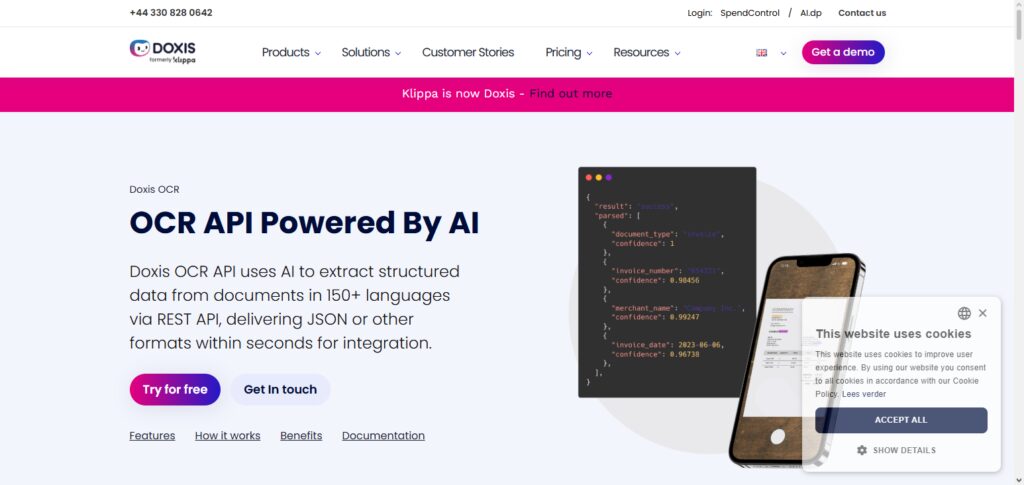
Klippa improves the customer onboarding process and decreases the administrative burden by accurate data extraction within a short period of time.
This API is especially popular in the digital document workflows of the banking, fintech, insurance, and healthcare industries. Klippa’s outstanding accuracy, ease of use on mobile devices, and automated features, assist companies looking for advanced OCR Processing.
Klippa OCR API — Why It Matters
| Point | Details |
|---|---|
| AI Document Recognition | Klippa OCR API matters because it combines OCR and AI to recognize and process different document types accurately. |
| Identity Verification | It helps businesses automate ID checks, customer onboarding, and compliance processes. |
| Mobile Document Processing | Klippa supports mobile-based scanning, making document capture easier for users. |
| Fraud Prevention | Its verification features help businesses detect incorrect or suspicious documents. |
| Business Efficiency | It reduces paperwork, improves processing speed, and helps organizations create smoother digital workflows. |
Comparison Table: Best OCR APIs for Document Processing in 2026
| OCR API | Best For | Key Features | AI Capability | Document Types Supported | Pricing Model |
|---|---|---|---|---|---|
| Microsoft Azure Computer Vision API | Enterprise document automation | Text extraction, handwriting recognition, image analysis, layout detection, multilingual OCR | Advanced AI and machine learning models | PDFs, images, scanned documents, handwritten files, receipts, forms | Pay-as-you-go based on usage |
| Amazon Textract API | Forms, invoices, and business documents | Text extraction, table recognition, form analysis, key-value extraction | Deep learning-based document understanding | Invoices, receipts, financial documents, forms, contracts | Usage-based AWS pricing |
| IBM Watson Discovery OCR API | Enterprise search and document intelligence | OCR extraction, AI search, content analysis, data discovery | NLP and AI-powered document analysis | PDFs, reports, research papers, business documents | Subscription and usage-based plans |
| Adobe PDF Extract API | PDF document processing | Text extraction, table extraction, image extraction, PDF structure analysis | AI-assisted PDF intelligence | PDFs, reports, contracts, digital documents | API usage-based pricing |
| ABBYY FineReader OCR API | High-accuracy document conversion | Advanced OCR, handwriting recognition, layout preservation, multilingual support | AI-powered recognition technology | Scanned documents, PDFs, images, forms, business files | Enterprise and customized pricing |
| Tesseract OCR API | Developers and open-source projects | Free OCR engine, customizable models, multilingual recognition | Machine learning-based OCR engine | Images, scanned documents, text files | Free and open-source |
| Nanonets OCR API | Automated business workflows | Custom OCR models, invoice extraction, form processing, workflow automation | Deep learning and AI document processing | Invoices, receipts, IDs, forms, purchase orders | Subscription and usage-based plans |
| Rossum OCR API | Intelligent invoice automation | Cognitive data capture, invoice processing, document classification | AI-powered document understanding | Invoices, receipts, purchase orders, financial documents | Enterprise pricing |
| Docsumo OCR API | Financial and verification documents | Data extraction, document classification, validation workflows | AI-based document intelligence | Bank statements, invoices, insurance forms, IDs | Custom pricing plans |
| Klippa OCR API | Identity verification and compliance | OCR scanning, document recognition, verification, fraud detection | AI and computer vision technology | IDs, passports, invoices, receipts, forms | Usage-based and enterprise pricing |
Quick Ranking Overview
| OCR API | Best Feature |
|---|---|
| Microsoft Azure Computer Vision API | Enterprise-grade OCR accuracy and scalability |
| Amazon Textract API | Advanced form and table data extraction |
| ABBYY FineReader OCR API | High-accuracy document recognition |
| Adobe PDF Extract API | Best PDF extraction capabilities |
| Nanonets OCR API | Custom AI OCR automation |
| Rossum OCR API | Intelligent invoice processing |
| IBM Watson Discovery OCR API | AI-powered document search and analysis |
| Klippa OCR API | Identity verification and compliance |
| Docsumo OCR API | Financial document automation |
| Tesseract OCR API | Free and customizable open-source OCR |
Conclusion
OCR APIs have changed how companies handle document management by automating the extraction of text, document-related data, and the steps of the processes of document management (workflows).
The Best OCR APIs for Document Processing which are the Microsoft Azure Computer Vision API, Amazon Textract API, ABBYY FineReader OCR API, Adobe PDF Extract API, and the rest of the AI-based solutions, present the opportunity for companies to automate document management completely and implement changes to their business processes in a digital format (digital transformation) faster.
With the expansion of its capabilities to include, among others, the recognition of handwriting, the support for many languages, and the extraction of tables, and the intelligent analysis of documents, OCR APIs are crucial in finance, health, legal, retail, and logistics.
The right choice of an OCR API may help companies create smarter, faster, and more effective systems of document management in 2026.
FAQ
What Are OCR APIs for Document Processing?
OCR APIs (Optical Character Recognition APIs) are tools that use artificial intelligence and machine learning to extract text and data from scanned documents, images, PDFs, and handwritten files. They convert unstructured documents into searchable and editable digital information, helping businesses automate document workflows.
Why Are OCR APIs Important for Businesses in 2026?
OCR APIs are important because they help businesses automate manual data entry, reduce errors, improve document processing speed, and manage large volumes of information efficiently. They support digital transformation by converting paper-based documents into structured digital data.
Which Are the Best OCR APIs for Document Processing in 2026?
Some of the best OCR APIs for document processing in 2026 include Microsoft Azure Computer Vision API, Amazon Textract API, IBM Watson Discovery OCR API, Adobe PDF Extract API, ABBYY FineReader OCR API, Tesseract OCR API, Nanonets OCR API, Rossum OCR API, Docsumo OCR API, and Klippa OCR API.
How Do OCR APIs Work?
OCR APIs work by analyzing uploaded documents or images, improving image quality, detecting text areas, recognizing characters using AI models, extracting important information, and converting the results into structured formats such as JSON, XML, or plain text.
Can OCR APIs Extract Data From Handwritten Documents?
Yes, many modern OCR APIs support handwriting recognition. AI-powered solutions like Microsoft Azure Computer Vision API, Amazon Textract, and ABBYY FineReader can identify handwritten text and convert it into digital formats.