

In this article, I will cover the Complete Shopify Store Setup Guide for Beginners 2026. This guide is excellent for new entrepreneurs wanting to start their online business. New users can follow the instructions, and soon will have their own Shopify store.
Store owners can learn how to select products for their store, build their store site, set up payment processes, and successfully launch their store. If you want to learn how to build a profitable ecommerce store in 2026, this is the guide for you.
What is Shopify?
Shopify is an eCommerce store builder with incredible capacity built for top-level users and absolute beginners needing no tech or design skills. Since 2006, it has been a pioneer in all-in-one selling solutions, with store construction, product management, payment processing, and order handling.

Shopify provides myriad store design resources, the performance of which is backed by secure and reliable hosting, with modular app functionality. It manages physical products, digitial products, and dropship. It has great built-in marketing resources, with great SEO and 24/7 customer service. Helping users to begin and grow their online business in a competitive space is the name of the Shopify game.

Setting Up Your Shopify Account

Step 1: Visit the Shopify Website
To start building your account, visit the official Shopify website and click on Start Free Trial.
Step 2: Register
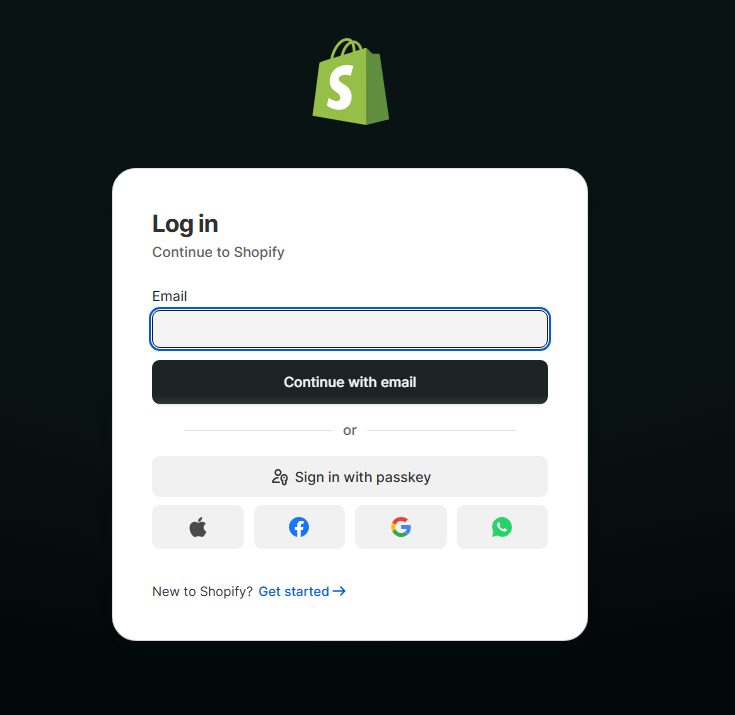
To register a Shopify account, enter your email address, password, and desired store name.
Step 3: Simple Survey
Shopify will ask what some basics of your business are (what you want to sell, your level of experience, etc.). Answer what you can or feel free to skip.
Step 4: Store Name
Select a name for your store. Make sure it is something you would want to put on your business card, as it will serve as the storefront for your store.
Step 5: Enter Your Business Information
Provide your address and contact information to set up your business.
Step 6: Shopify Pricing Plan
After your trial is up, pay for the pricing plan that meets the needs of your business the best.
Step 7: Access Your Shopify Dashboard
Once you have finished the setup, you have access to the admin panel of your Shopify account. From there, you can adjust your products, apps, themes, and more.
Step 8: Store Settings
Establish your store settings, including the currency, payment methods, shipping, and tax preferences.
Step 9: Domain
For a more legitimate store, add a custom domain (or register one through Shopify).
Step 10: Store Build
You can add products, choose a theme, and start designing the store the way you would like it.
Why Shopify is popular for beginners in 2026
User-Friendly Dashboard: Beginners can learn to build and run a shop using Shopify’s minimalist dashboard.
Rapid Launch: Using a pre-set theme with a Guided Setup tool, the shop can go live in mere hours.
No Programming Skills: Using drag-and-drop, professional designs can be made for pages without the need to code.
Complete Package: Shopify incorporates ‘one-click’ hosting, payment, security, and even inventory.
In-house App Range: It’s a no-brainer to improve your shop’s features with built-in tools for marketing, SEO, or automation.
Responsive Themes: The designs shop owners can choose to use are all adaptable for mobile use.
Beginning and Hunting Ready: Scale up to your full potential and grow to a full-fledged business.
Customer Service: Tech issues that might impede a shop are not a concern with 24/7 support.
Payment Protection: Customers can shop within a safe environment with full encryption and valid payment methods.
Social Selling: Connecting other PSN like Instagram, Facebook, or TikTok is a simple way to sell to a larger audience.
Designing Your Shopify Store

Your Shopify store will play an important function in your online business. After all, your store is your primary business interface with your customers. Use an attractive and suitable theme to create a store that reflects your product niche.
Artistic customization of your store’s homepage reinforces your branding and highlights your products. Your store visitors deserve an easily understandable navigation system that helps them find what they’re looking for. Your online store should be user-friendly on all devices.
To help visitors find what they need, your store should have attractive, trust-building visuals and product sections. To create an inviting shopping experience that keeps customers returning, keep your design consistent and your store actively selling.
Setting Up Payment and Checkout in Shopify
| Step | What to Do | Details |
|---|---|---|
| 1. Access Payment Settings | Go to Shopify Admin → Settings → Payments | This is where you manage all payment options |
| 2. Choose Payment Provider | Select Shopify Payments, PayPal, Stripe, etc. | Enables customers to pay securely online |
| 3. Activate Payment Methods | Turn on credit/debit cards, UPI, wallets (if available) | Increases payment flexibility for customers |
| 4. Set Currency | Choose your store currency (e.g., INR, USD) | Ensures correct pricing for your market |
| 5. Configure Checkout Settings | Customize checkout form fields and order processing | Improves user experience and conversion rate |
| 6. Enable Guest Checkout | Allow customers to buy without creating an account | Reduces cart abandonment |
| 7. Set Shipping Rates | Define shipping charges and delivery zones | Helps avoid confusion during checkout |
| 8. Test Checkout Process | Place a test order to check payment flow | Ensures everything works smoothly before launch |
| 9. Enable Order Notifications | Turn on email/SMS alerts for orders | Keeps you and customers updated in real time |
| 10. Secure Checkout | Ensure SSL and secure gateways are active | Builds trust and protects customer data |
Marketing Your Shopify Store
The competitive nature of e-commerce means that marketing your Shopify store is necessary to attract buyers, grow website visitors, and generate sales. Start your marketing with social media. Use Instagram, Facebook, and TikTok to post, post, post and advertise your products. Techniques like SEO will improve your ranking on Google and thus your products’ pages and blogs.
Paid advertising is an option if you want to reach targeted customers even faster; Facebook Ads and Google Ads will provide quicker results. Nurture customers using email campaigns and offer deals. Increase your reach and grow your brand further with influencer marketing and referral programs. Successful marketing develop customers’ trust, and increase your conversions and sales stream in no time.
Is Shopify good for beginners in 2026?
Yes, Shopify is still one of the best beginner friendly platforms in 2026. Its simple design and user friendly interface draws the less tech savvy crowd to the platform. With zero experience you can build a store. As you become more familiar, you can customize the store using provided tools.
More advanced beginners can appreciate the store themes. There are tons of built in payment, shipping, marketing, and inventory management tools. As you get comfortable with building your store, there are hundreds of Shopify add ons available to enhance your store. You don’t have to worry about security or availability as you build, because they have excellent security and 24/7 support.
Scaling Your Ecommerce Business
| Strategy Area | What to Do | Why It Matters |
|---|---|---|
| Increase Traffic | Use SEO, ads, and social media campaigns | Brings more potential customers to your store |
| Optimize Conversions | Improve product pages, checkout, and UX | Turns more visitors into paying customers |
| Email Marketing | Send newsletters, offers, and abandoned cart emails | Encourages repeat purchases and boosts sales |
| Product Expansion | Add new trending or complementary products | Increases average order value and revenue streams |
| Customer Retention | Offer loyalty programs and discounts | Builds long-term customer relationships |
| Automation Tools | Use Shopify apps for marketing and inventory | Saves time and improves efficiency |
| Brand Building | Create strong branding and storytelling | Helps stand out in a competitive market |
| Data Analysis | Track sales, traffic, and customer behavior | Helps make smarter business decisions |
Common Mistakes to Avoid

Selecting a Wrong Niche: Picking a niche that has little demand or is highly competitive can lead to low sales.
Not Doing Proper Research: Poor product validation can lead to hefty losses.
Store Design Issues: Store designs that are poor, confusing or cluttered reduce user trust and conversions.
Mobile Unfriendliness: With the bulk of customers making mobile purchases, a non-responsive store leads to lost sales.
Poor Descriptions: Copy-paste and unclear product descriptions lead to low purchases.
Poor SEO: Not doing search engine optimization leads to poor organic site traffic.
Overlooking Pricing: Pricing products too high or too low can limit purchases and cause financial drainage.
Limited Store Marketing: A well-set-up store that is poorly marketed leads to poor store traffic.
Ineffective Customer Support: No response policy or slow response policy leads to poor customer satisfaction.
Lack of Analytics Tracking: Poor data analysis leads to stagnation and a reduction in user trust.
Pros & Cons
| Pros | Cons |
|---|---|
| Easy to set up without coding skills | Monthly subscription costs can be expensive for beginners |
| All-in-one platform (hosting, payments, tools) | Heavy reliance on paid apps for advanced features |
| Wide range of customizable themes | Limited design flexibility compared to fully custom websites |
| Supports dropshipping and multiple product types | Competition is very high in popular niches |
| Strong app ecosystem for marketing and automation | Transaction fees may apply depending on payment gateway |
| Built-in SEO and marketing tools | Learning curve for advanced customization and scaling |
| Secure and reliable hosting | Profit margins can be low without proper strategy |
| 24/7 customer support | Success depends heavily on marketing efforts |
Conclusion
Opening a Shopify store in 2026 is a great option for a beginner to quickly start an online ecommerce business with little tech knowledge. There are multiple steps required to complete an online business, like selecting a niche, building the store, entering products, configuring payments, and doing the marketing. Shopify has excellent all-in-one tools for design, sales, and management.
However, success beyond the initial business launch is reliant on the store owner’s effort to market, provide customer service, and improve the store as needed. This complete Shopify store setup guide serves as a confident launching point for beginners to start, cultivate and grow an online ecommerce business in a fast and growing digital market.
FAQ
How much does it cost to start a Shopify store?
Shopify offers monthly plans starting at a basic price. Costs depend on the plan you choose and any additional paid apps or themes you use.
Can I run a Shopify store from my phone?
Yes, Shopify has a mobile app that lets you manage products, orders, and customers directly from your smartphone.
What is Shopify used for?
Shopify is an ecommerce platform used to create, manage, and grow online stores. It allows users to sell physical, digital, or dropshipping products easily.
Do I need coding skills to use Shopify?
No, Shopify is beginner-friendly and does not require any coding skills. You can build your store using drag-and-drop tools and ready-made themes.